Why assignment tracking matters for uni students

Assignment tracking is the process of monitoring your deadlines, task progress, and coursework priorities in a dedicated system so nothing slips through the cracks. Most students think a calendar is enough. It isn’t. Calendars tell you when things are due. A proper tracker tells you what still needs doing, how far along you are, and what to tackle next. That difference is why assignment tracking matters so much for your WAM, and tools like Culleva are built around this exact idea.
How does assignment tracking improve academic performance?
Students who use a dedicated tracker tend to hand more work in on time and feel more in control of their workload. In units like PSYC101 or LAWS2001, staying on top of every task can be the difference between a Credit and a Distinction.
The core reason is time allocation. When you can see all your tasks ranked by priority and deadline, you stop defaulting to the easiest work first. You start on the essay due in Week 8 during Week 5, not Week 7. That extra buffer is where quality actually gets made.
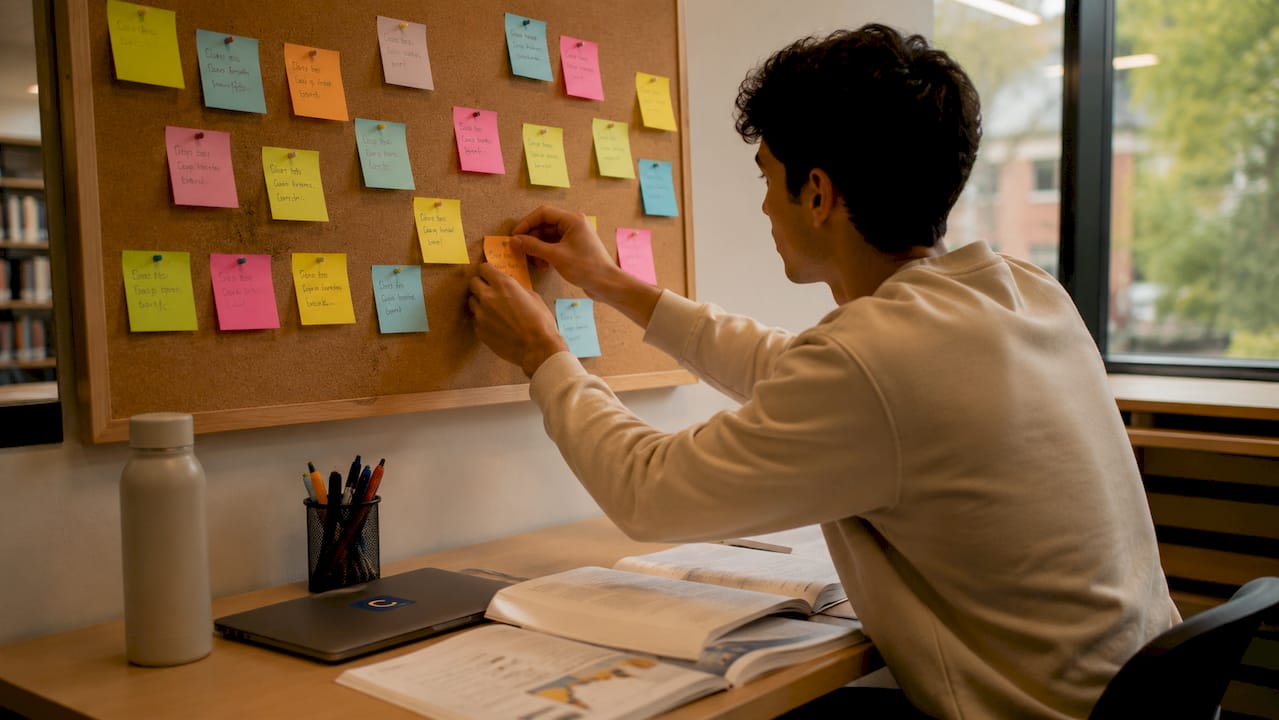
It also helps to separate task management from time management. Your calendar is a time tool. Your tracker is a task tool. Use both, but don’t confuse them. Knowing you have a tute at 10am on Thursday is not the same as knowing you still need to write 600 words of your literature review before then.
Visual progress tracking adds another layer. Seeing a task move from “not started” to “in progress” to “submitted” is genuinely motivating. It gives you a concrete record of what you’ve done, which makes it easier to keep going.
Pro Tip: Colour-code your tracker by unit. Assign one colour to COMM1010, another to BIOL2030, and so on. At a glance, you’ll spot if one subject is eating all your time.
What features should a good assignment tracker have?
Not all tracking methods are equal. Here’s how paper planners and digital trackers compare:
| Feature | Paper Planner | Digital Tracker (e.g. Culleva) |
|---|---|---|
| Deadline reminders | Manual, easy to miss | Automatic notifications |
| Multi-platform sync | Not possible | Pulls from Canvas, Moodle, email |
| Priority tagging | Possible but clunky | Built-in urgent/low priority labels |
| Progress status | Requires rewriting | Dropdown updates in seconds |
| Group project visibility | Not possible | Shared dashboards and file storage |
Digital trackers also tend to beat paper planners, and the main reason is notifications. You don’t have to remember to check a paper planner. A digital tracker checks in with you.
The features that matter most for uni students are:
-
Centralised deadlines pulled from Canvas, Moodle, and email into one view
-
Priority and status tags so you know what’s urgent and what’s in progress
-
Effort estimation so you can block realistic time, not just mark a due date
-
Collaboration tools for group assignments, including shared scheduling and file storage
Effective trackers use priority tagging, status dropdowns, and effort estimation to keep workloads manageable. These aren’t fancy extras. They’re the features that stop you from treating a 3,000-word essay the same as a 200-word reflection.
Why does centralising your assignments into one place matter?
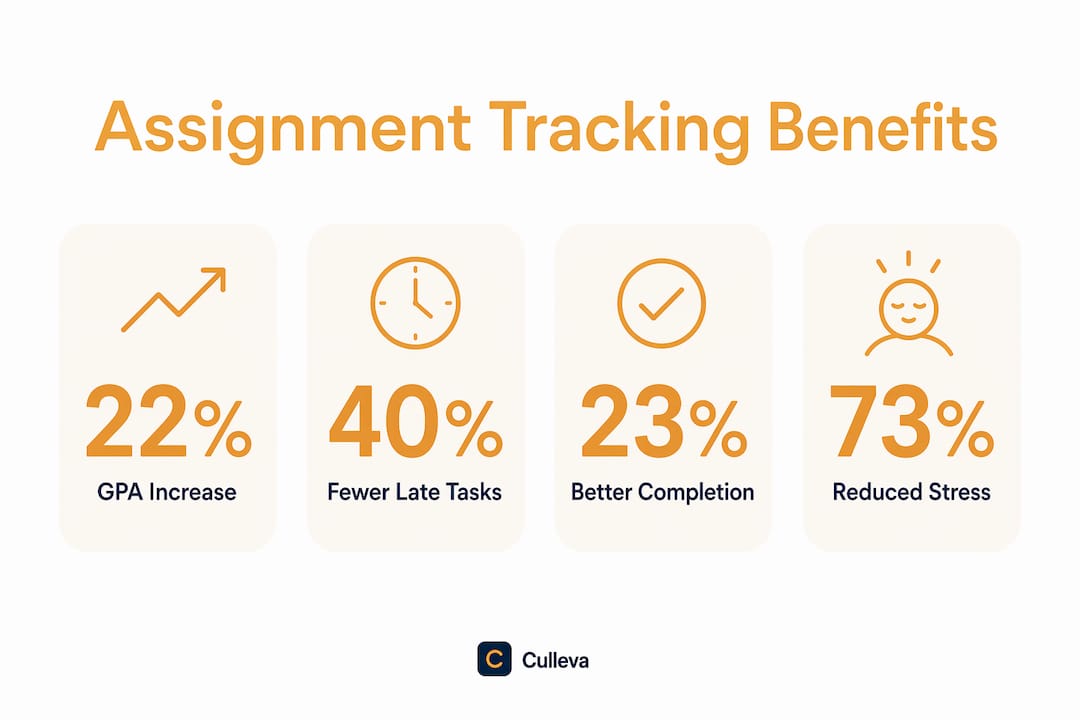
Most uni students juggle several assignments at once. Those assignments live across Canvas, Moodle, email threads, and unit outlines in PDF format. Keeping track of all that in your head is a recipe for missed work.
Centralising deadlines from multiple platforms reduces cognitive load and the number of tasks that fall through the cracks. When everything lives in one dashboard, you spend less mental energy remembering and more energy actually working.
Think about how a typical week looks without a tracker. You check Canvas for one unit, Moodle for another, scroll back through emails to find the group project brief, and then try to hold all of it in your head while you figure out what to do first. That’s exhausting before you’ve written a single word.
A unified tracker turns that chaos into a clear list. You open one place, see everything, and get to work. Centralisation transforms scattered deadlines into a manageable dashboard, cutting the anxiety that comes from not knowing what you’re forgetting.
Pro Tip: Set a 10-minute Sunday check-in. Review your tracker, update any statuses, and confirm your priorities for the week ahead. That one habit prevents most deadline surprises.
How can tracking assignments help you avoid burnout?
Most students use their tracker as a record of what they’ve already done. That’s useful, but it misses the bigger benefit. Using a tracker to simulate future workload is far more powerful than using it to record the past.
Here’s how to use tracking as a feedback loop:
-
Review your tracker weekly. Look at what’s due in the next two weeks, not just the next two days.
-
Spot your patterns. If you consistently underestimate how long essays take, build in an extra day from now on.
-
Adjust before you’re overwhelmed. If Week 10 looks brutal, start one of those tasks in Week 9.
-
Mark tasks complete only after submission. Not after you finish writing. After you hit submit on Turnitin or Canvas. This closes the loop properly.
Maintaining an accurate, regularly updated tracker helps you spot behavioural bottlenecks before they affect your grades. Procrastination shows up in your tracker before it shows up in your results. That’s the point. You want to catch it early.
Top students also use trackers to spot hidden risks, like assignments they’ve mentally marked as done but haven’t actually submitted yet. It’s surprisingly common to finish a piece of work and then forget to upload it to Canvas or Turnitin. A tracker with a “submitted” status field catches those hidden risks before they cost you marks.
Key takeaways
Assignment tracking directly improves academic performance by giving you clear visibility over deadlines, priorities, and progress across all your units at once.
| Point | Details |
|---|---|
| Tracking beats calendars | Calendars show when; trackers show what to do next and how far along you are. |
| Digital outperforms paper | Digital trackers tend to beat paper planners, thanks to automatic reminders and centralised deadlines. |
| Centralise everything | Pulling Canvas, Moodle, and email deadlines into one dashboard cuts cognitive load and missed tasks. |
| Use it to look forward | Simulate future workload weekly to catch overload before it becomes burnout. |
| Close the loop properly | Mark tasks complete only after submission on Canvas or Turnitin, not after writing. |
Get on top of your assignments with Culleva
If you’re ready to stop juggling Canvas tabs and sticky notes, Culleva is built for exactly this.
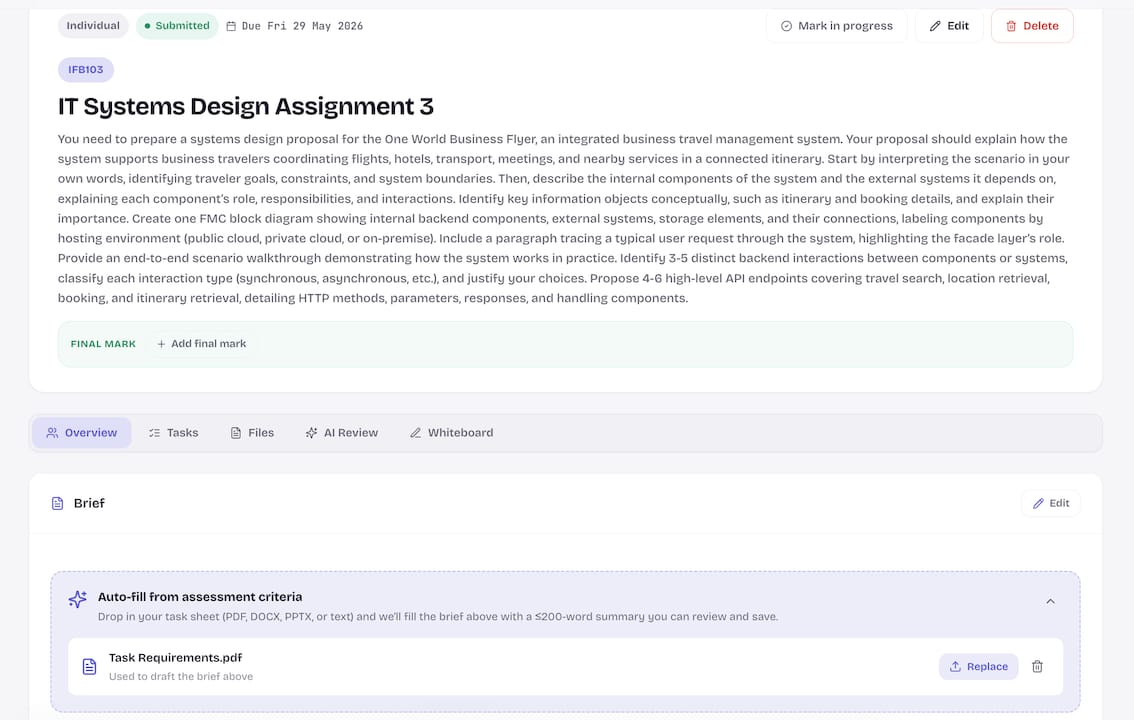
Culleva is an all-in-one study app for Australian uni students. It tracks your assignments and deadlines, sends you reminders, and gives you a single dashboard for all your units. On top of that, it includes an AI study coach that turns your lecture slides into summaries and flashcards, a draft-grading tool that estimates your mark before you submit, and a group-work hub with shared scheduling and file storage. It handles APA, Harvard, and AGLC4 citations too. Start tracking smarter today and see the difference a proper system makes.
FAQ
What is assignment tracking?
Assignment tracking is the practice of monitoring your coursework deadlines, task progress, and priorities in a dedicated system. It goes beyond a calendar by showing you what needs doing next, not just when things are due.
How does assignment tracking reduce stress?
Many students find a tracker takes the edge off deadline anxiety. Centralising all your tasks into one visible dashboard removes the mental load of trying to remember everything at once.
Is a digital tracker better than a paper planner?
Digital trackers tend to beat paper planners, mainly because of automatic reminders and the ability to sync deadlines from platforms like Canvas and Moodle.
How often should I update my assignment tracker?
A weekly 10-minute review is enough for most students. Check what’s due in the next two weeks, update task statuses, and adjust your priorities before the week starts.
What should I track beyond just due dates?
Track task status (not started, in progress, submitted), effort estimates, and priority level. These three fields, combined with due dates, give you a complete picture of your workload across all your units.
Recommended
Stay on top of every assignment
Culleva brings your assignments, group work, calendar, and an AI study coach into one place. Free to start.