Voice chat for group assignments: your 2026 guide

TL;DR:
- Voice chat streamlines student collaboration by enabling quick, natural audio conversations for group tasks. It reduces coordination time and lets members contribute asynchronously or synchronously, lowering communication barriers.
Voice chat for group assignments is real-time or asynchronous audio communication that lets students collaborate naturally without the friction of typing everything out. If you’ve ever tried to coordinate a PSYC101 group report over a Canvas discussion thread, you already know how slow text-based back-and-forth gets. Voice chat, built on WebRTC infrastructure, cuts that overhead dramatically. Coordination overhead alone consumes more than half of many teams’ working time. Getting your group onto the right audio setup is one of the most practical things you can do before Week 3 hits.
How does voice chat improve collaboration for uni students?
57% of teams spend more time on reporting and coordination than on actual productive work. That stat stings, but it makes sense. When your group is scattered across Moodle messages, group chats, and email threads, you spend more time managing communication than doing the assignment.
Voice chat fixes this by replacing long text threads with a quick spoken conversation. A five-minute audio check-in covers what would take 30 messages to resolve in writing. That’s not an exaggeration. Audio is faster because it carries tone, emphasis, and nuance that text strips out.
The other big win is flexibility. Mixing synchronous voice chat with asynchronous voice messaging lets students with clashing timetables stay involved without forcing everyone into the same timeslot. Your lab partner finishing a shift at 9pm can drop a voice note; you pick it up in the morning before your 8am lecture.
- Synchronous voice chat works best for live brainstorming, dividing up tasks, and resolving disagreements fast.
- Asynchronous voice notes work best for updates, feedback, and keeping quieter group members in the loop.
- Persistent voice rooms let your group stay connected without scheduling a formal call every time.
Pro Tip: Use a quick voice check-in at the start of each week to assign tasks and flag blockers. Five minutes of audio beats a day of unanswered messages.
What voice chat features matter most for group assignments?
Not all voice tools are built the same. The features that actually move the needle for uni group work are persistence, low latency, and integration with your other tools.

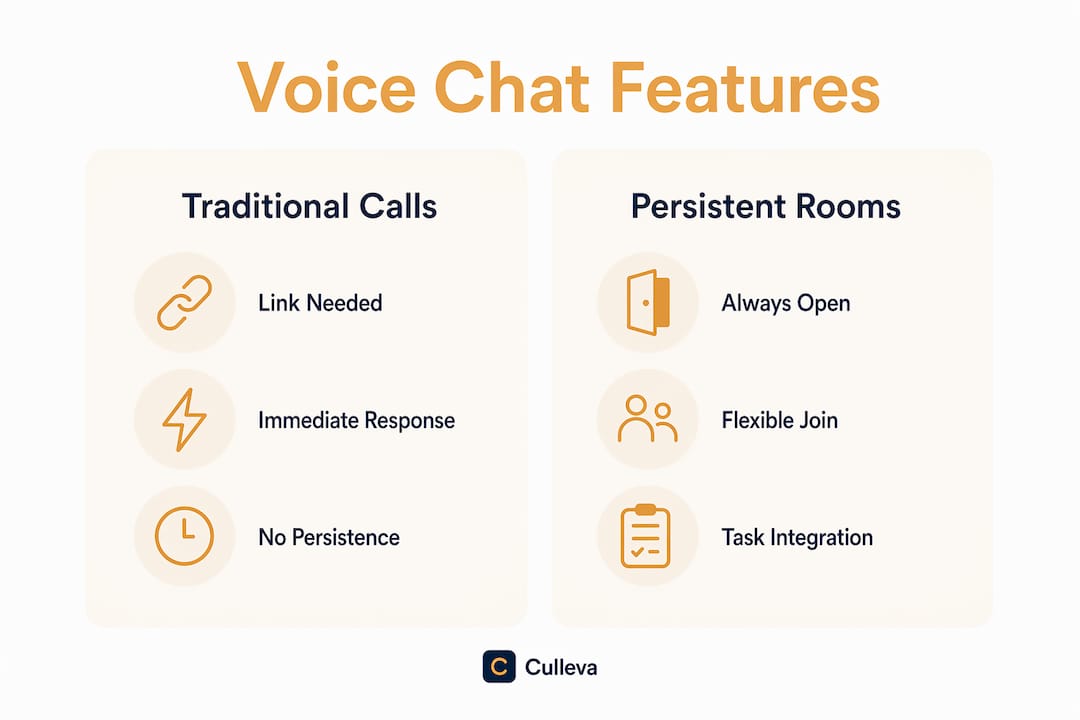
Persistent rooms vs traditional calls
Voice channels remove the pressure of a ringing call demanding an immediate answer. Traditional calls feel like a summons. Voice channels feel like an open room you can walk into when you’re ready. That psychological difference is real, and it matters when your group has members who get anxious about live audio.
Persistent rooms eliminate the friction of generating a new call link every session. Your group has one room, always there, ready to go. Pair that with a built-in whiteboard and you’ve got a space where you can talk through your essay structure and sketch it out at the same time.
Feature comparison by category
| Feature category | What to look for |
|---|---|
| Persistence | Rooms that stay active without a new link each session |
| Audio quality | Sub-second latency with HD audio for clear conversation |
| Async support | Voice note recording for members with different schedules |
| Extra tools | Built-in whiteboards, polls, or task-linking within the platform |
| Group size | Support for your full cohort, not just two or three people |
WebRTC-based platforms deliver sub-second latency using SFU architecture, which means your audio stays tight even when multiple people are talking. Poor latency creates awkward overlaps and kills the flow of a group discussion.
Pro Tip: Look for platforms that connect voice directly to your assignment tasks. When the conversation lives next to the document, you stop losing context between tools.
How to choose and use voice chat effectively for your uni group
Picking the right setup takes about ten minutes if you know what to check. Here’s a practical process.
-
Check device compatibility first. Your group will be on a mix of phones, laptops, and tablets. A platform that only works well on desktop will cut out half your group during the commute.
-
Confirm group size support. Some free tiers cap you at small groups. If your COMM101 project has eight people, verify the platform handles that before your first session.
-
Set group norms before the first call. Agree on muted entry as the default. This reduces background noise and takes the pressure off anyone who joins mid-conversation.
-
Link voice channels to specific tasks. Keeping conversation connected to tasks rather than scattered across external apps increases efficiency. Create a channel for each section of your assignment, not one general room for everything.
-
Blend live and async communication. Not every update needs a live session. Use voice notes for progress updates and save live calls for decisions that need real-time input.
-
Watch for notification overload. Too many pings from too many tools is its own problem. Consolidate where you can. If your voice platform also handles file sharing and task tracking, use it for those too.
A common mistake is running voice chat in one app, files in another, and task lists in a third. That fragmentation is exactly the coordination overhead that bogs teams down. The best setup keeps everything in one place.
What are the common challenges in group voice chat?
Group audio has a few predictable friction points. Knowing them ahead of time means you can fix them before they derail your assignment.
- Call anxiety. A ringing call creates an adrenaline spike that puts some students off joining. Voice channels with muted entry solve this. Members can listen passively before speaking, which lowers the barrier significantly.
- Quieter members going silent. Not everyone speaks up in a live session. Async voice notes give those students a way to contribute on their own terms. Explicitly invite voice note responses after each live session.
- Schedule conflicts. Forcing everyone into the same timeslot every week creates resentment and absences. Async voice messaging handles this. Set a 24-hour window for voice note responses so the group keeps moving.
- Interruptions and crosstalk. Agree on a simple signal for wanting to speak, like typing a “+” in the text chat. It sounds basic, but it stops the three-people-talking-at-once problem that derails most live sessions.
- Platform fragmentation. Using five different tools for one assignment is exhausting. Pick one platform that covers voice, files, and task tracking, and stick to it for the whole project.
Good group project communication comes down to reducing the number of places your group has to look for information.
Culleva brings voice chat and group work together
Group assignments are hard enough without your tools working against you. Culleva is built for exactly this situation.
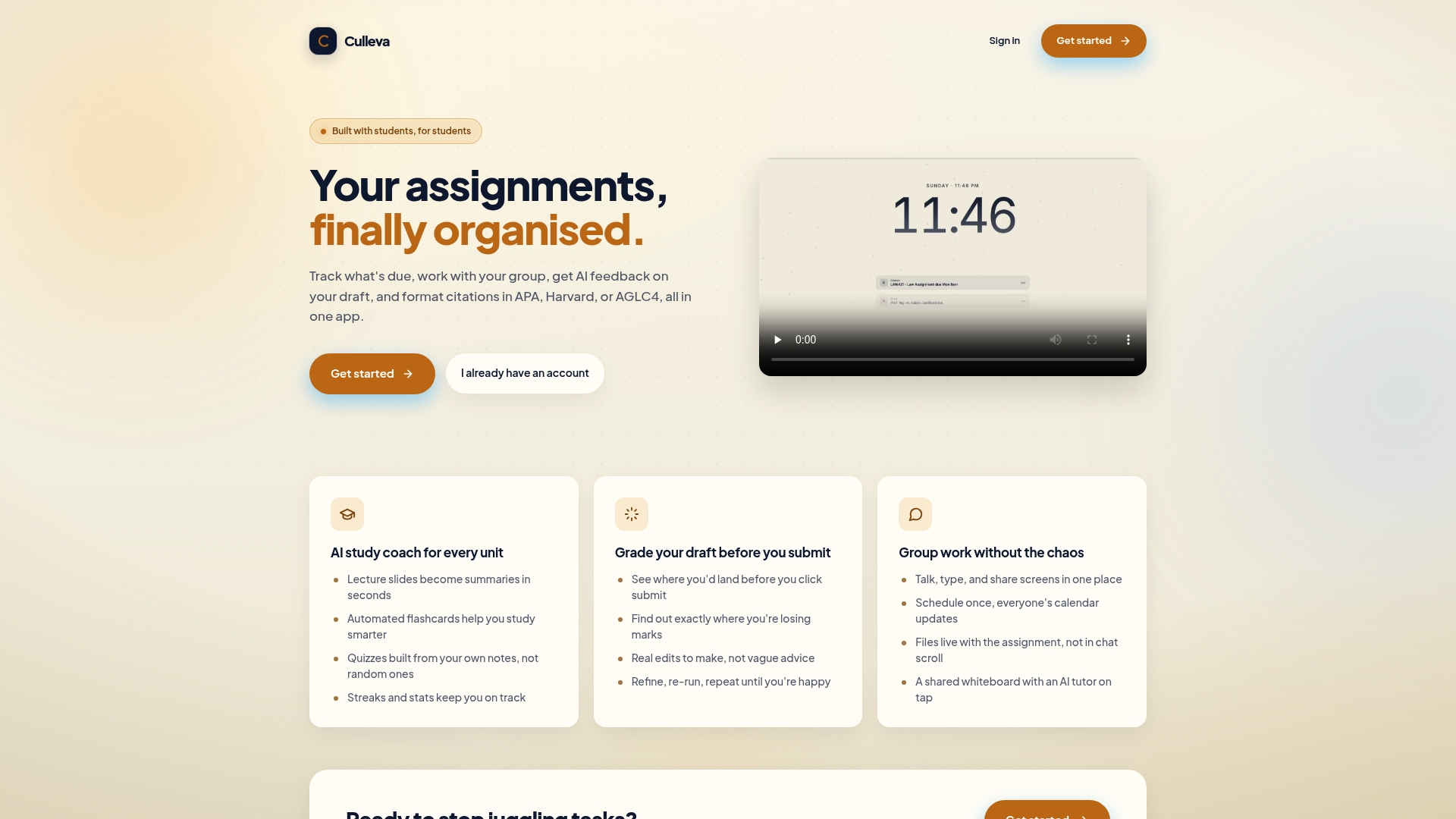
Culleva’s group-work hub pulls voice and text chat, screen sharing, a collaborative whiteboard with an on-demand AI tutor, shared scheduling with calendar sync, and assignment-linked file storage into one place. You don’t need a separate call app, a separate doc platform, and a separate task tracker. It’s all connected. Your group can manage tasks and communication in the same space, which means less time coordinating and more time actually working on the assignment. Culleva also handles APA, Harvard, and AGLC4 citation formatting, so your reference list doesn’t become a last-minute panic.
Key takeaways
Voice chat combined with async voice notes is the most effective way for uni students to reduce coordination overhead and keep group assignments moving.
| Point | Details |
|---|---|
| Voice beats text for speed | A five-minute audio check-in resolves what 30 messages cannot. |
| Async voice notes cover schedule gaps | Voice notes let group members contribute without matching timetables. |
| Persistent rooms reduce friction | One permanent room removes the need to create new call links each session. |
| Voice channels ease anxiety | Muted entry and drop-in listening lower the barrier for quieter students. |
| Keep tools connected to tasks | Linking voice chat to assignment tasks cuts fragmentation and saves time. |
FAQ
What is voice chat for group assignments?
Voice chat for group assignments is real-time or recorded audio communication used by students to collaborate on shared tasks. It replaces slow text threads with faster, more natural conversation.
Are voice channels better than calls for uni group work?
Voice channels are better for most group work because they allow flexible participation without the pressure of an immediate response. Calls work well for urgent, time-sensitive decisions.
How do I handle group members with different schedules?
Use async voice messaging alongside live sessions. Members record voice notes when they’re available, and the group responds within an agreed window, keeping the project moving without forcing everyone online at once.
How many people can join a group voice chat?
Group size limits vary by platform. Some free tools support groups up to 500 people, which is well beyond what most uni assignments require. Always check the free tier limit before your group commits to a platform.
How do I keep group voice chat organised?
Link each voice channel to a specific section of your assignment and set clear norms like muted entry and a text signal for speaking turns. Keeping your group project on schedule gets much easier when communication has structure.
Recommended
Stay on top of every assignment
Culleva brings your assignments, group work, calendar, and an AI study coach into one place. Free to start.