Turnitin submission best practices for uni students
TL;DR:
- Proper Turnitin submission involves selecting the correct file format, adhering to assignment rules, and manually reviewing similarity reports. Students should avoid last-minute uploads, scanned image PDFs, and rushing resubmissions that delay reports and risk penalties. Using early drafts, saving receipts, and understanding report details help maintain academic integrity and improve writing.
Turnitin submission best practices at uni come down to three things: submitting the right file format, understanding your assignment’s submission rules, and using your similarity report to actually improve your writing. Most students treat Turnitin as a pass/fail plagiarism test. It isn’t. It’s a tool for maintaining academic integrity, and knowing how it works gives you a real edge. Get the technical side right, read your report properly, and you’ll avoid the last-minute chaos that tanks grades every semester.

1. Prepare your file correctly before you submit
File format is the first place students trip up. Turnitin accepts .doc, .docx, .pdf with selectable text, and .txt files, with a size limit that typically sits under 100MB. Scanned image PDFs are incompatible because Turnitin can’t read the text inside them.
Before you upload, open your PDF and try to highlight a word. If you can’t, it’s a scanned image and Turnitin will reject it or return a blank similarity report. Convert it to a text-based PDF first.
- Use .docx or a selectable-text PDF for most assignments
- Keep file size under 100MB
- Name your file exactly as your lecturer specifies (e.g., “StudentID_PSYC101_Week10”)
- Never upload a draft version by mistake. Double-check the filename before you hit submit.
Pro Tip: Save your submission receipt the moment it appears. It’s your proof of on-time submission if anything goes wrong technically.
2. Understand your assignment’s Turnitin settings
Not every Turnitin assignment works the same way. Your unit coordinator sets the rules, and those rules change what you can do. Resubmissions allow up to three immediate similarity reports within 24 hours. After that, you wait 24 hours before a new report generates. That wait can push you past a deadline if you’re not careful.
Here’s what to check in your Canvas or Moodle assignment settings before you submit:
- Is resubmission allowed? Some assignments lock after the first upload.
- Is there a draft submission option? A separate draft folder means you can test your similarity score safely.
- What does your assignment brief say? The assignment brief often specifies whether multiple submissions are permitted.
- Can you use Draft Coach? If your institution supports it, Draft Coach lets you check drafts, citations, and grammar in Google Docs or Word before formal submission.
If you’re unsure about any of these, email your unit coordinator before the due date. A quick question beats a late penalty.
Pro Tip: Screenshot your assignment settings page at the start of semester. You’ll thank yourself in Week 12 when you can’t remember if resubmissions were allowed.
3. How to read your similarity report properly
A similarity report is not a plagiarism verdict. Low similarity doesn’t guarantee academic integrity, and a high percentage doesn’t automatically mean you’ve done something wrong. The report needs manual review, every time.
What the report actually shows is matched text. That includes your direct quotes, your reference list, and any phrases that appear in other student papers or published sources. Similarity reports highlight quotes and bibliographic material, which instructors can exclude from the score if they choose to. Your job is to click through each flagged section and ask: is this properly cited, or is it unattributed?
“Students must check whether highlighted matches are properly cited or paraphrased to avoid plagiarism. The percentage alone tells you nothing about whether your work meets academic integrity standards.”
Focus on the substance of each match, not the overall number. A 25% score with all matches properly cited is fine. A 5% score with one unattributed paragraph is a problem.
- Click every highlighted section, not just the red ones
- Check that direct quotes use quotation marks and a citation in APA, Harvard, or AGLC4 format
- Confirm paraphrased ideas still carry an in-text citation
- Ask your unit coordinator how they interpret the report for your specific unit
4. Avoid these common submission mistakes
Most Turnitin problems are avoidable. They come from rushing, not reading instructions, or assuming the system works the same across every unit.
- Uploading at the last minute. Similarity reports can take minutes to 24 hours to generate, especially during peak periods. Submit at least a few hours early.
- Using a scanned image PDF. Turnitin can’t process it. Your submission may appear blank.
- Ignoring the assignment brief. Lecturers set Turnitin submissions through LMS portals like Canvas or Moodle with specific rules. Read them.
- Not saving your receipt. Without a submission receipt, you have no proof you submitted on time.
- Rapid resubmissions to chase a lower score. Repeated quick resubmissions trigger the 24-hour delay rule and lead to rushed, poor-quality writing. It also misses the point entirely.
5. Plan your submissions across the semester
Good Turnitin habits aren’t just about the night before a deadline. They’re about building a process that works across all your units.
- Submit drafts early if your assignment allows it. For a PSYC101 Week 10 essay, aim to have a draft in by Week 9 so you have time to review the report.
- Keep a folder on your desktop labelled by unit and assessment. Store your submission receipts there alongside your final file.
- Use your similarity report as a writing tool, not a score to beat. Each flagged section is a chance to improve your citation or paraphrasing skills.
- Check assignment tracking across all your units so no deadline sneaks up on you.
Pro Tip: Set a personal deadline 48 hours before the actual due date. That buffer covers report generation delays, technical issues, and last-minute edits.
Key takeaways
Turnitin submission best practices at uni require correct file preparation, an understanding of your assignment’s resubmission rules, and a manual review of every flagged section in your similarity report.
| Point | Details |
|---|---|
| Use the right file format | Submit .docx or a selectable-text PDF; scanned image PDFs will not process correctly. |
| Know your resubmission limits | You get three immediate reports per 24 hours; after that, a 24-hour wait applies. |
| Read the report manually | Click every flagged match and check it is properly cited, not just look at the percentage. |
| Submit early | Reports can take up to 24 hours to generate during peak periods, so never submit at the last minute. |
| Save your receipt | Your submission receipt is proof of on-time submission if a technical dispute arises. |
Culleva keeps your Turnitin submissions on track
Keeping on top of Turnitin deadlines, submission rules, and receipts across five or six units is a lot to manage. Culleva is built for exactly that.
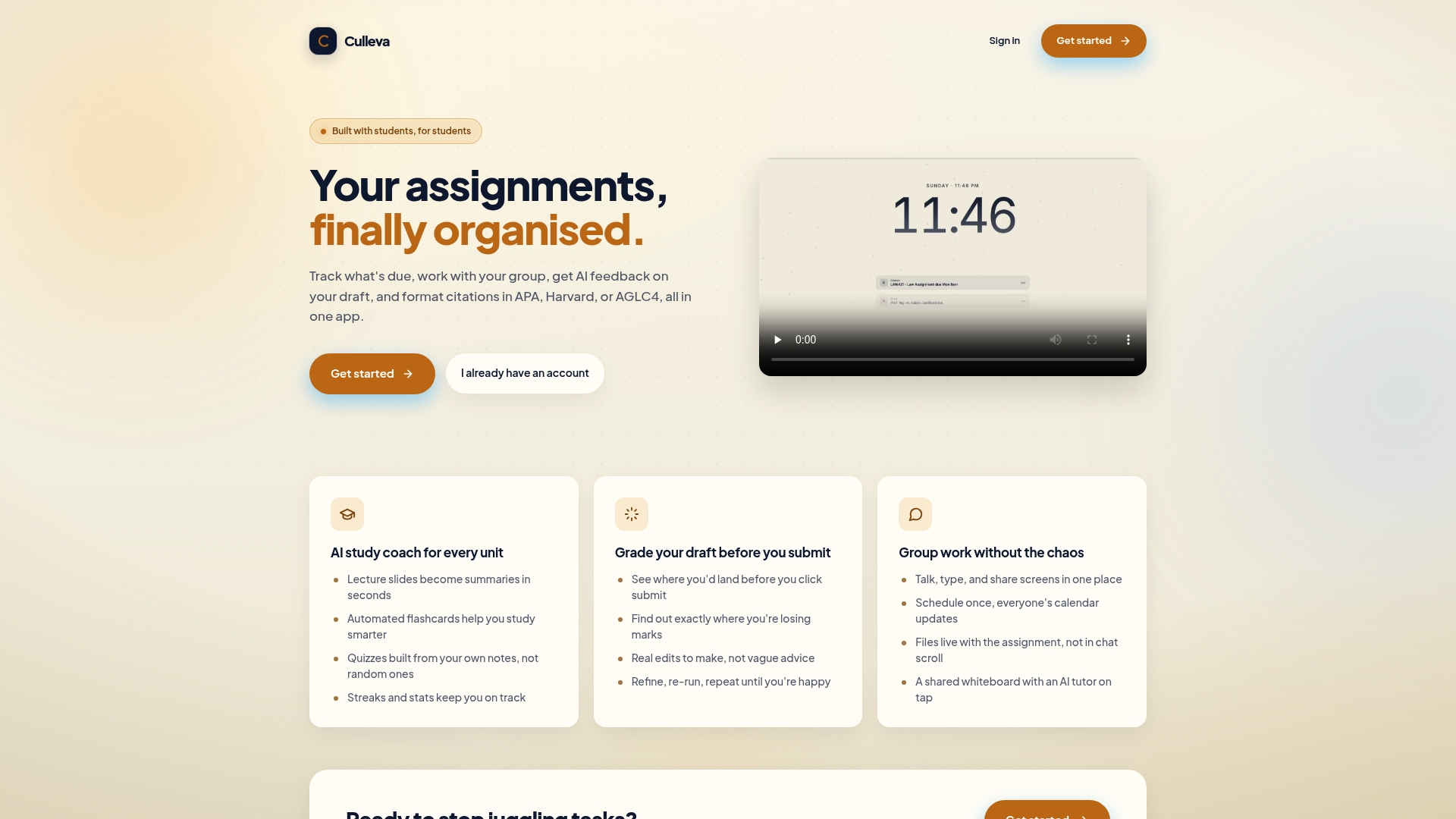
With Culleva, you track every assignment deadline in one place, store submission receipts alongside your files, and get reminders before due dates so you’re never scrambling at 11:55 PM. The draft-grading tool estimates your likely mark before you submit, so you can fix weak spots before they hit your WAM. Citation formatting in APA, Harvard, and AGLC4 is built in, which means your reference list is sorted before you even open Turnitin. Less chaos, better submissions, and a clearer head going into exam period.
FAQ
What file formats does Turnitin accept?
Turnitin accepts .doc, .docx, .pdf with selectable text, and .txt files. Scanned image PDFs are not compatible and will not generate a similarity report.
How many times can I resubmit to Turnitin?
You can generate up to three similarity reports within a 24-hour period. After that, each resubmission triggers a mandatory 24-hour wait before a new report is available.
Does a high similarity score mean I’ve plagiarised?
Not automatically. Similarity reports flag matched text including quotes and reference lists. You need to review each match manually to confirm it is properly cited.
Can I check my draft before the official submission?
Only if your instructor has enabled resubmissions or your institution supports Draft Coach in Google Docs or Word. Check your Canvas or Moodle assignment settings first.
Why hasn’t my similarity report generated yet?
Reports can take up to 24 hours during peak submission periods or for large files. Submit well before your deadline to allow enough time for the report to appear.
Recommended
Stay on top of every assignment
Culleva brings your assignments, group work, calendar, and an AI study coach into one place. Free to start.