Task allocation groups for uni students: 2026 guide

A task allocation group is just a clear way of splitting up who does what in a group project, so the work goes to the right people and nobody doubles up or quietly drops the ball. When students ask what is task allocation groups, this is what they mean: a simple system for sharing the work fairly and keeping track of it. In project management it’s sometimes called an assignment group, but task allocation groups is the phrase most students search for. Tools like Culleva are built for exactly this. Sort it out in Week 1 and you’ll save yourself hours of back-and-forth.
What are task allocation groups and how do they work?
Task allocation is the systematic process of assigning individuals or teams to tasks based on skills, roles, and availability to maximise productivity. A task allocation group takes that one step further. Instead of assigning one task to one person every time, you create a named group (say, “Research Team” or “Editing Squad”) and assign tasks to that group. Every member of the group receives the task, and the group coordinator decides who picks it up.
The handy part is that you don’t have to chase everyone individually. This matters most in busy weeks, like the Week 10 crunch when your group is juggling a few deliverables at once. Instead of messaging five people about every update, you post it once to the group and everyone’s across it.

It’s the same idea bigger teams use to stay organised, and it works just as well for your PSYC101 group report or your COMM203 presentation.
What are the common methods for task distribution in groups?
Three task distribution methods cover most group project scenarios: round-robin, weighted allocation, and least-loaded assignment. Each suits a different situation.
| Method | How It Works | Best For |
|---|---|---|
| Round-robin | Tasks rotate evenly through all members | Equal workload, simple projects |
| Weighted allocation | Tasks assigned by skill level or experience | Complex projects with mixed skill sets |
| Least-loaded | Tasks go to whoever has the most free capacity | Uneven schedules, exam periods |
Matching tasks to who is actually free, not just who is best, is the bit groups skip most. Your group’s best writer isn’t much help if they’ve already got three other assignments due that same week.
Weighted allocation works well when your group has a mix of strengths. If one person is strong in data analysis and another in writing, assign tasks to match. Least-loaded is the most practical method for uni groups because everyone’s schedule shifts week to week.
Pro Tip: Check actual availability, not just job titles or stated strengths. Ask each group member to share their week before assigning tasks. A five-minute check-in at the start of each week prevents a lot of last-minute chaos.
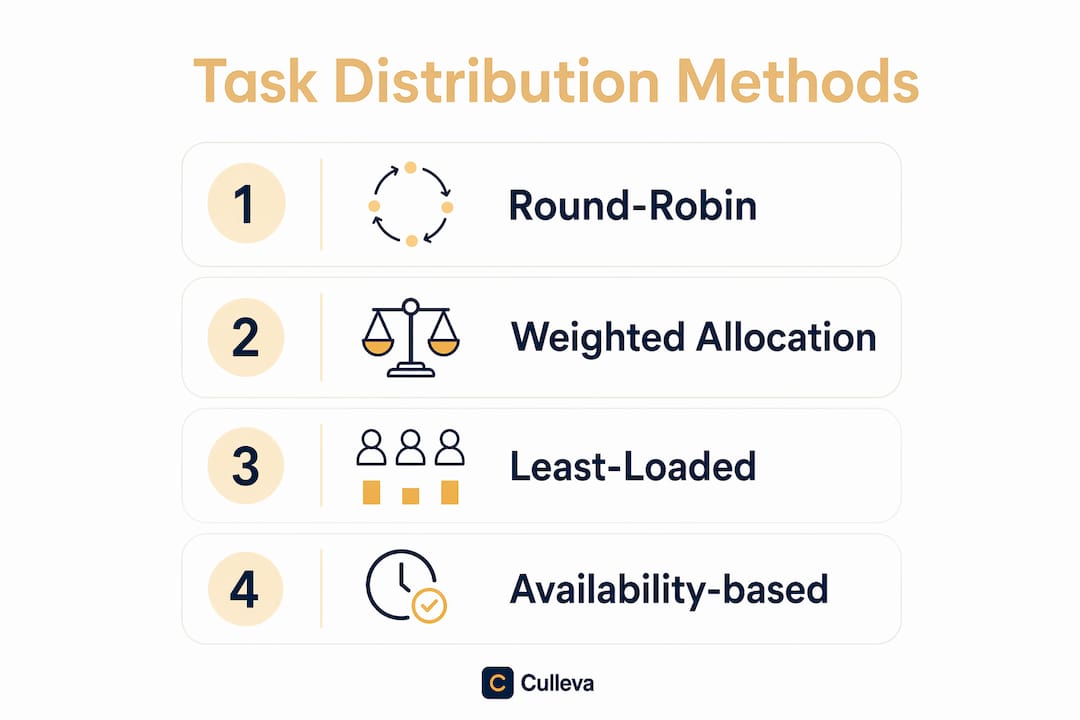
Real available hours matter more than abstract capacity when allocating tasks. Availability verification is the step most student groups skip, and it’s usually why someone ends up doing 80% of the work.
How do task groups improve teamwork and productivity?
Structured task groups reduce role confusion and prevent workload imbalances, two of the most common reasons group projects fall apart. When everyone knows exactly what they own, there’s no “I thought you were doing that” moment at 11pm before the submission deadline.
Spreading the work evenly keeps everyone involved and stops one person burning out while another coasts. In a group of five, the person doing 60% of the work is heading for burnout. The person doing 10% is checked out and probably a bit resentful. Splitting the tasks clearly fixes both, because everyone can see who is doing what.
Here are the top five benefits for students specifically:
-
Clarity. Every person knows their task, their deadline, and what “done” looks like.
-
Accountability. Named ownership means no task gets quietly forgotten.
-
Efficiency. Coordinators assign recurring tasks (like weekly meeting notes) to a group once, not repeatedly.
-
Fairness. Workload is visible, so no one can claim ignorance about imbalance.
-
Speed. Less time spent on “who’s doing what” means more time on actual work.
Keeping your group project on schedule becomes much easier when roles are locked in early. The importance of task groups shows up most clearly in the final week, when a well-organised team is polishing their submission while a disorganised one is still arguing about who writes the introduction.
What are the challenges when using task allocation groups?
The biggest risk with group task assignment is diffusion of responsibility. Assigning a task to a group can reduce accountability without clear individual roles. If “the group” is responsible, nobody is responsible.
The fix is simple but non-negotiable: one person per task. If a task is genuinely too large for one person, break it into subtasks and assign each subtask to a named individual. “Literature review” becomes “Find 10 sources (Jamie)” and “Write annotated bibliography (Alex).”
Here are four practical steps to avoid the most common pitfalls:
-
Assign to individuals, not just groups. Use the group to notify everyone, but name one owner per task.
-
Include context with every task. Effective task assignment requires clear deliverables, deadlines, a reason, and a definition of done. A bare task title is a notification, not a delegation.
-
Account for real capacity. True capacity assessment accounts for overhead like meetings and communication to prevent hidden over-allocation. Factor in tutes, lectures, and other units.
-
Revisit assignments weekly. Circumstances change. Someone picks up extra shifts at work. Someone gets sick. Build in a weekly check-in to reassign if needed.
Pro Tip: When you assign a task, write one sentence explaining why it matters to the project. That context alone improves follow-through significantly.
How can students apply task allocation groups in study projects?
Here’s a practical setup you can use from Week 1 of any group project. Start by listing every task the project requires. Then group tasks by type: research tasks, writing tasks, formatting tasks, and presentation tasks. Assign a named group to each type, then assign individual owners within each group.
Effective allocation happens during project planning by evaluating real resource capacity and looking beyond job titles. Do this in your first group meeting, not the night before the due date.
Students consistently overestimate available project time. A 40-hour week often leaves only 25–30 hours for deep work after meetings and admin tasks. For a uni student juggling three units, part-time work, and a social life, that number is even lower. Build that reality into your task estimates.
Here’s an example allocation table for a typical group report:
| Task | Group | Owner | Deadline | Status |
|---|---|---|---|---|
| Literature search | Research Team | Jamie | Week 6 | In progress |
| Annotated bibliography | Research Team | Alex | Week 7 | Not started |
| Draft introduction | Writing Team | Sam | Week 8 | Not started |
| Data analysis | Research Team | Jordan | Week 7 | In progress |
| Final formatting | Editing Squad | Casey | Week 9 | Not started |
Culleva’s group-work hub lets you build exactly this kind of table inside the app, with shared scheduling, assignment-linked file storage, and a collaborative whiteboard. You can track who owns what, set deadlines, and check progress without switching between Canvas, Google Docs, and a group chat that nobody reads. Check out the Culleva blog for more practical guides on managing group work at uni.
Key takeaways
Task allocation groups work best when every task has a named individual owner, a clear deadline, and enough context for the person to complete it without guessing.
| Point | Details |
|---|---|
| Define groups early | Set up task groups in Week 1 to avoid confusion and last-minute scrambles. |
| One owner per task | Assign a named individual to every task, even within a group, to maintain accountability. |
| Match tasks to availability | Check real schedules before assigning, not just skills or stated capacity. |
| Include task context | Every assignment needs a deliverable, a deadline, and a definition of done. |
| Review assignments weekly | Reassign tasks when circumstances change to keep workload balanced and fair. |
What I’ve learnt from running group projects the hard way
I’ve been in enough group projects to know that the ones that go badly almost always fail at the same point: the first meeting. Everyone agrees on a vague split, nobody writes it down, and by Week 8 half the tasks are either doubled up or completely forgotten.
The first time I used a proper task allocation structure, with named groups, individual owners, and written context for each task, the difference was obvious by Week 3. People actually did their work. Not because they were suddenly more motivated, but because they knew exactly what was expected of them and when.
The thing most students miss is the context piece. Handing someone a task title is not the same as delegating. When you write “find 10 peer-reviewed sources on climate policy by Friday because we need them for the lit review draft,” the person receiving that task has everything they need. When you write “find sources,” they don’t.
My honest advice: spend 20 minutes at your first group meeting building a proper task table. Assign owners. Write deadlines. Add one sentence of context to each task. That 20 minutes will save you five hours of follow-up messages and three arguments about who was supposed to do what.
Start early. Be specific. Check in weekly. That’s it.
Get your group work sorted with Culleva
Group projects are stressful enough without scrambling to figure out who’s doing what. Culleva’s group-work hub brings task assignment, shared scheduling, file storage, and a collaborative whiteboard into one place, so your team stays organised from Week 1 to submission day.
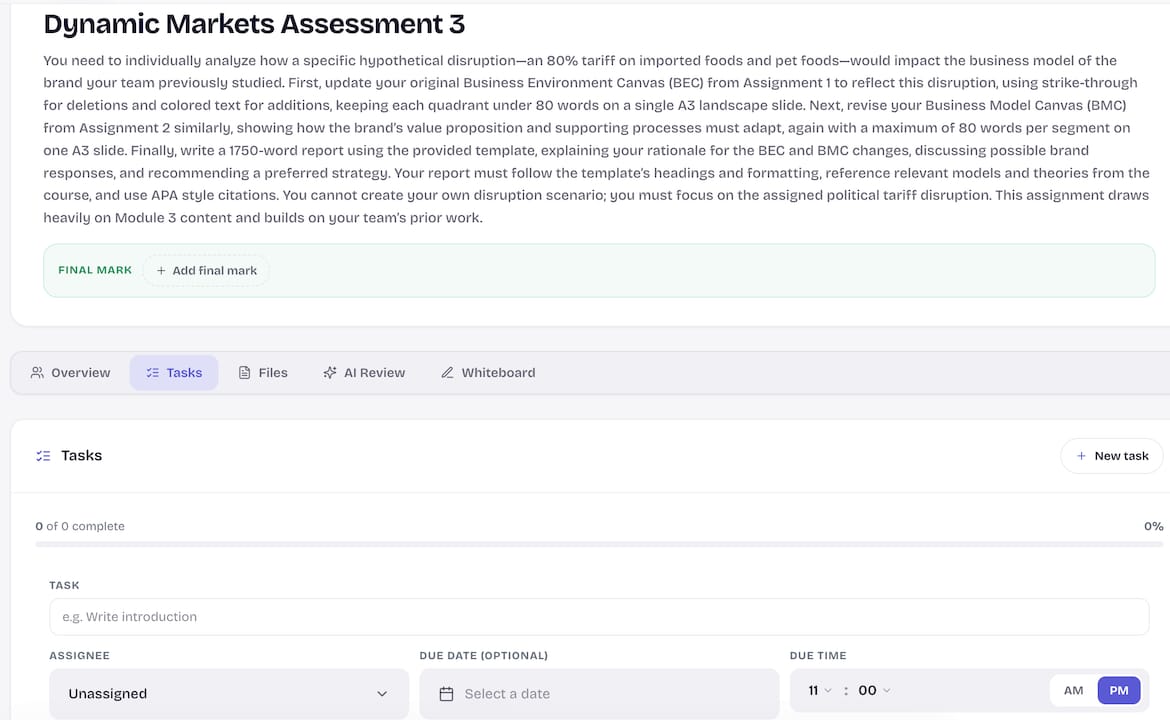
You can assign tasks, set deadlines, track progress, and chat with your group without leaving the app. No more chasing people across five different platforms. Culleva also handles APA, Harvard, and AGLC4 citation formatting, so your references are sorted too. If you want to stop losing marks to disorganisation, try Culleva and see how much smoother your next group project runs.
FAQ
What is a task allocation group?
A task allocation group is a named collection of team members used to assign tasks to multiple people at once, reducing admin overhead. The formal project management term is an assignment group.
Why do task allocation groups reduce confusion in group projects?
They make ownership visible. When every task has a named group and an individual owner, nobody can claim they didn’t know what they were responsible for.
What are the best task assignment strategies for uni students?
Round-robin works for equal splits, weighted allocation suits mixed skill sets, and least-loaded assignment works best when schedules vary week to week.
How do you avoid diffusion of responsibility in group tasks?
Assign one named person to each task, even within a group. Break large tasks into subtasks with individual owners so accountability stays clear.
How much time should students budget for group project tasks?
Budget conservatively. After lectures, tutes, meetings, and admin, a typical uni week leaves far fewer hours for deep work than most students expect. Always add a buffer.
Recommended
Stay on top of every assignment
Culleva brings your assignments, group work, calendar, and an AI study coach into one place. Free to start.