How to set up an assignment tracking system in 2026

TL;DR:
- A well-designed assignment tracking system centralizes all deadlines and statuses, reducing missed tasks.
- Using seven core fields and daily reviews helps maintain accuracy throughout the semester.
An assignment tracking system is a centralised table where you record every uni assignment, its due date, and its current progress status. Done right, it means you never open Canvas at 11pm and realise something was due at midnight. The simplest version is a single structured table with seven core fields covering assignment name, course code, type, due date, priority, status, and notes. Whether you build it in Google Sheets or use a dedicated app like Culleva, the goal is the same: one place to see everything, no guessing, no panic.
What are the essential fields in an assignment tracking system?
A well-built tracker captures the right details without becoming a second job. Seven core fields cover everything most uni students need across a full semester.
The non-negotiables are:
- Assignment title — be specific. “Essay” is useless. “PSYC101 Week 8 reflective essay” is not.
- Course/unit code — use a dropdown so you type LAWS2250 once and select it every time after that.
- Assignment type — essay, quiz, lab report, group presentation. Helps you see at a glance what kind of work is coming.
- Due date — the actual submission deadline, not the date you plan to start.
- Priority — High, Medium, or Low. Use a dropdown here too.
- Status — Not Started, In Progress, or Submitted. Clear status categories reduce confusion and show real progress at a glance.
- Notes — Turnitin link, group members, rubric quirks, anything extra.
Dropdowns for Course, Priority, and Status prevent typos and keep your data consistent. One misspelled unit code and your filters break. The Notes column stays optional but earns its place fast once group work starts in week four.
Pro Tip: Tracking completion status rather than grades keeps your focus on what you can control right now: finishing the work.

Which tools work best for tracking assignments?
The best assignment management tool is the one you will actually open every day. Here is how the main options compare.
| Tool | Ease of setup | Key strength | Cost | Best for |
|---|---|---|---|---|
| Google Sheets | Very easy | Fully customisable formulas | Free | Students who like DIY |
| Notion | Moderate | Visual databases and templates | Free tier available | Students who enjoy design |
| General task apps | Easy | Quick entry, reminders | Varies | Simple to-do style tracking |
| Culleva | Very easy | Built for uni, AI study tools included | Student pricing | ANZ uni students |
Google Sheets is free and works across every device, which makes it a solid starting point. More visual tools offer database views and automation but take longer to configure, and that setup time is often time you do not have in week two of semester. Centralised trackers with deadlines, status, and accountability consistently outperform simple to-do lists for preventing missed tasks. Dedicated apps built for uni students skip the configuration entirely.
Pro Tip: Pick the tool that matches how you already work. If you live in your browser, a spreadsheet wins. If you want everything in one app, Culleva handles tracking, study tools, and group work together.
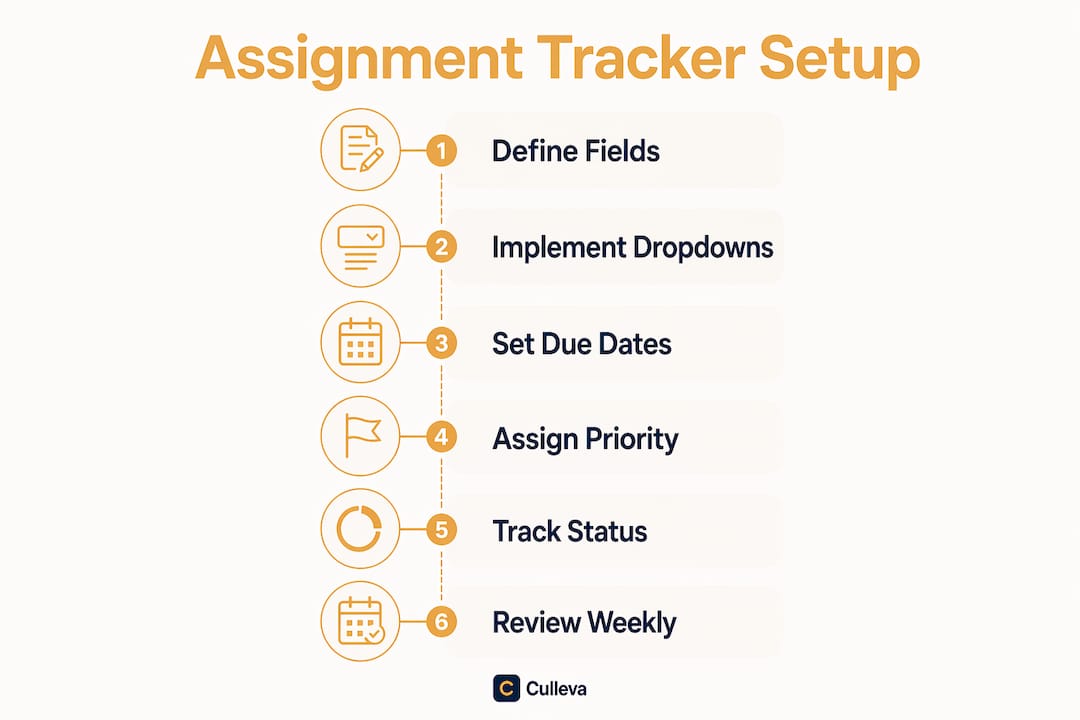
How to set up your tracker step by step in Google Sheets
Building a working tracker from scratch takes about fifteen minutes. Follow these steps once and you are set for the whole semester.
- Open a new Google Sheet and name it “Semester 2 2026 Assignments” or similar.
- Add column headers in row one: Assignment, Course, Type, Due Date, Priority, Status, Days Until Due, Notes.
- Set up data validation dropdowns for Course (your unit codes), Priority (High, Medium, Low), and Status (Not Started, In Progress, Submitted). Select the column, go to Data > Data Validation, and enter your list.
- Add the Days Until Due formula. In the Days Until Due column, enter
=DueDateCell - TODAY(). This formula updates automatically each day so you always see the real countdown. - Apply conditional formatting. Highlight the Days Until Due column, then set red fill for values under 3 and yellow fill for values under 7. Deadlines within three days go red, within seven days go yellow for instant urgency signals.
- Create a filter view sorted by Due Date so your most urgent assignments always sit at the top.
- Add a second filter view for “At Risk” assignments. Filter for Status not equal to Submitted and Days Until Due less than 7. Separate views for at-risk tasks stop urgent work from getting buried during busy periods.
Here is what a filled row looks like:
| Assignment | Course | Type | Due Date | Priority | Status | Days Until Due |
|---|---|---|---|---|---|---|
| Reflective essay | PSYC101 | Essay | 15 aug 2026 | High | In Progress | 6 |
| Lab report draft | BIOL1002 | Report | 22 aug 2026 | Medium | Not Started | 13 |
| Group presentation | COMM2040 | Presentation | 29 aug 2026 | High | Not Started | 20 |
Pro Tip: Keep your tracker simple. Complex systems with grades and rubric details get abandoned by week five. Stick to the seven core fields and add extras only if you genuinely use them.
What routines keep your tracker accurate all semester?
A tracker you built but never update is just a pretty spreadsheet. The system only works if you maintain it, and that takes less time than you think.
Build these habits:
- Daily review (1–2 minutes). Scan your tracker each morning. A quick daily check keeps your list accurate and stops small tasks from slipping.
- Mark tasks as submitted the moment you click submit. Leaving old tasks as “In Progress” clutters your view and kills motivation.
- Update due dates when your unit coordinator moves them. When a deadline shifts on Moodle or Canvas, update your tracker immediately. Keeping one due date field and recalculating with your formula prevents the confusion of updating multiple places.
- Weekly deeper review (5–10 minutes). Every Sunday, look at the next two weeks. Adjust priorities, add any new tasks from your unit outlines, and update notes for group work.
- Keep notes current. If your COMM2040 group changes the presentation angle, update the Notes field. Future you will be grateful.
You can read more about building deadline management habits that actually stick across a full semester.
Pro Tip: Set a recurring phone reminder for your weekly review. Sunday at 7pm works well. Treat it like a five-minute tute prep and it becomes automatic by week three.
Key takeaways
A focused, centralised tracker with seven core fields and a daily review habit is the most reliable way to manage assignment deadlines across a full uni semester.
| Point | Details |
|---|---|
| Use seven core fields | Assignment, course, type, due date, priority, status, and notes cover everything you need. |
| Dropdowns prevent errors | Data validation for course, priority, and status keeps your tracker consistent and filterable. |
| Automate urgency with formulas | A Days Until Due formula with colour coding shows what needs attention without manual checking. |
| Simplicity drives consistency | Trackers with too many fields get abandoned. Keep it focused to maintain it all semester. |
| Daily and weekly reviews are non-negotiable | A one to two minute daily scan and a weekly check stop tasks from slipping through. |
Culleva keeps your assignments and deadlines in one place
If building a spreadsheet from scratch sounds like one more thing to do before semester starts, Culleva has you covered.
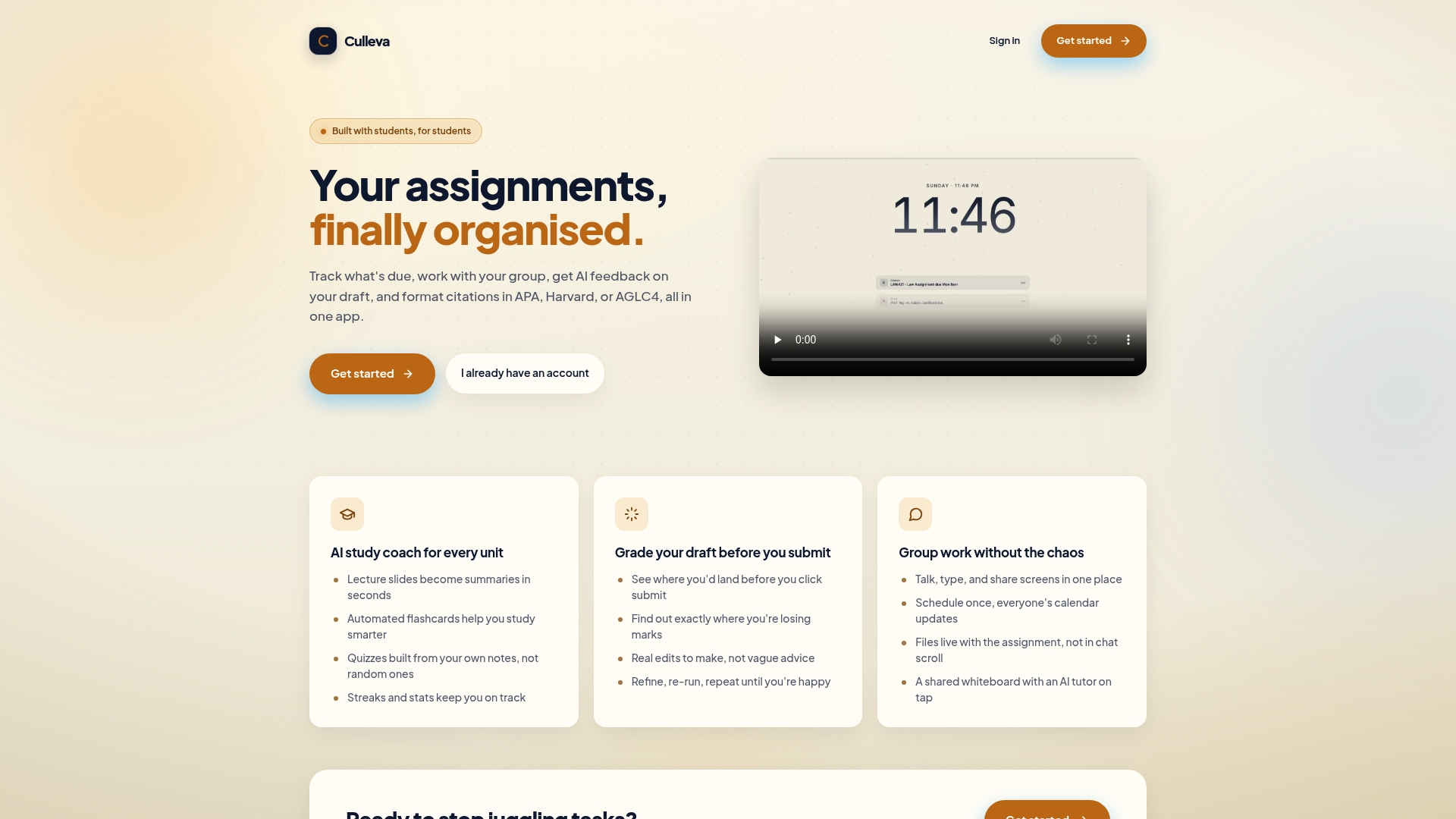
Culleva is built specifically for Australian and New Zealand uni students. It tracks your assignments and deadlines out of the box, with no setup required. On top of that, it includes an AI study coach that turns your lecture slides into summaries and generates flashcards from your own notes. There is also a draft-grading tool that estimates your mark before you submit and tells you exactly where you are losing points. Group work? Culleva pulls chat, file storage, shared scheduling, and a collaborative whiteboard into one place. It even handles APA, Harvard, and AGLC4 citations. Get started with Culleva and have your assignments organised before your first tute.
FAQ
What is an assignment tracking system?
An assignment tracking system is a centralised record of all your assignments, due dates, and progress statuses. It gives you a single view of your full workload so nothing gets missed.
How do I track assignments without missing deadlines?
Use a tracker with a Days Until Due formula and conditional formatting so urgent deadlines turn red automatically. Pair it with a daily one to two minute review each morning.
What fields should I include in my assignment tracker?
The seven core fields are assignment title, course code, assignment type, due date, priority, status, and notes. Dropdowns for course, priority, and status keep entries consistent.
Is a spreadsheet or an app better for assignment tracking?
A spreadsheet works well if you are comfortable with formulas and want full control. A dedicated app like Culleva is faster to set up and adds study and group work tools on top of basic assignment progress monitoring.
How often should I update my assignment tracker?
Update it daily with a quick one to two minute scan and do a deeper five to ten minute review each week. Mark assignments as submitted immediately after you hand them in.
Recommended
Stay on top of every assignment
Culleva brings your assignments, group work, calendar, and an AI study coach into one place. Free to start.