How shared scheduling works for uni groups: 2026 guide

TL;DR:
- Shared scheduling quickly finds common meeting times by combining members’ availability data through live overlays or polls. It improves response rates, reduces missed sessions, and streamlines group coordination, especially with automation and quorum features. Different methods suit varying group sizes and purposes, making scheduling faster and more reliable for university projects.
Shared scheduling for groups is the process of combining each member’s calendar or availability data to find common meeting times fast. Instead of firing off a group chat asking “when is everyone free?” and waiting three days for replies, shared scheduling tools do the heavy lifting for you. Groups confirm meetings up to 4x faster with live calendar overlays compared to traditional polling. That gap matters when your COMM101 group report is due in Week 9 and you still haven’t had your first proper catch-up. This guide breaks down how group scheduling works, which methods suit different team sizes, and how to put it all into practice.
How do shared scheduling tools work for groups?
Shared scheduling tools work by collecting each person’s availability and finding the times that overlap. The industry term for this is collaborative scheduling, though you’ll also hear it called group availability matching. Understanding the mechanics helps you pick the right method for your group.

Real-time calendar overlays are the most efficient approach. Each member connects their calendar (Google Calendar, Outlook, or similar), and the tool scans all calendars at once to highlight free windows. Live calendar API sync can cut meeting finalisation time by up to 75% compared to manual polling. That’s a significant saving when you’re juggling three units and a part-time job.
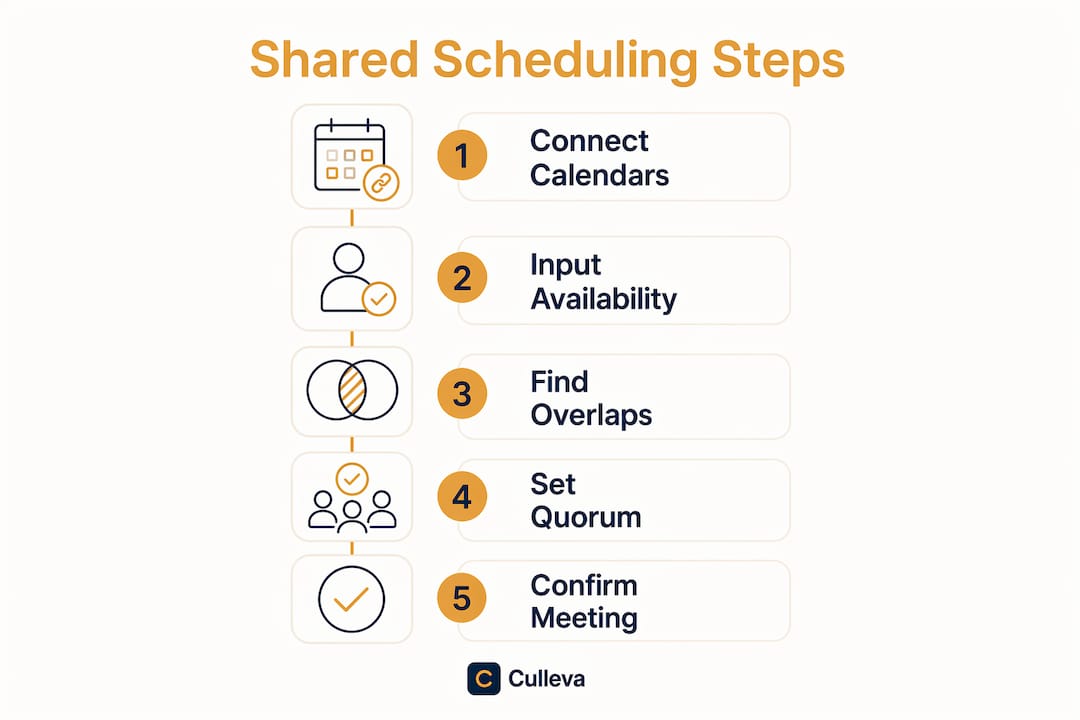
Manual availability pickers are the fallback when not everyone uses the same calendar platform. Members log in and mark their free or busy times directly. Availability input takes under 30 seconds for most users with this method. It’s slower than a live overlay, but it works across mixed groups where some members use Canvas reminders and others rely on a paper planner.
Quorum thresholds are a feature worth knowing about. Instead of waiting for every single member to confirm, the tool locks in a meeting time once a set number of members agree. Quorum-based scheduling prevents gridlock in large academic groups where one or two members never respond. Most tools let you set the threshold yourself, so you can require four out of five members rather than all five.
Ranking algorithms then sort the remaining options by factors like preferred working hours and the number of members available. The best slot rises to the top automatically.
- Real-time calendar overlay: fastest, requires calendar sync
- Manual availability picker: works for mixed platforms, slightly slower
- Quorum threshold confirmation: prevents one non-responder from blocking the whole group
- Ranking by preferences: surfaces the best time slot without manual comparison
Pro Tip: Use inverse availability input where possible. Marking when you CANNOT attend is faster than recalling every free window, because conflicts are easier to remember than gaps. Most members respond quicker when the question is “when are you busy?” rather than “when are you free?”
What are the key benefits of a shared schedule for teams?
The biggest benefit is speed. A 300% increase in scheduling efficiency over manual polling is the standard benchmark for live calendar tools. That means what used to take three days of back-and-forth can wrap up in a few hours.
Response rates also improve dramatically. Traditional polling tools see up to 40% non-response rates, while connected calendar tools achieve 95% attendee response. Higher response rates mean fewer “sorry, I didn’t see the poll” situations and more confirmed meetings.
Other concrete benefits for uni groups include:
- Fewer missed sessions. When a time is confirmed automatically, everyone gets a calendar notification. No one can claim they forgot.
- Less scheduling conflict. Overlapping tutes, part-time shifts, and sport commitments show up in the overlay before a time is locked in.
- Cross-platform support. Async polling combined with record-sharing works for groups where members use different calendar apps or have no calendar sync at all.
- Offline caching. Some tools store availability data locally, so members in areas with patchy internet can still submit their times.
Think about a typical MKTG202 group assignment. Five members, three different timetables, two people working weekends. Without a shared scheduling method, you spend Week 6 just trying to organise Week 7. With a live overlay or quorum-based tool, you lock in the time in under an hour and spend the rest of Week 6 actually working on the assignment.
Which scheduling method suits your group size and project type?
The right method depends on how many people are in your group and what the meeting needs to achieve.
| Method | Best for | Pros | Cons |
|---|---|---|---|
| Colour-coded calendar overlay | Small groups (5–25 members) on the same platform | Fast, visual, automatic | Requires calendar sync from all members |
| Manual availability poll | Large or mixed-platform groups | Works for everyone | Slower, relies on members responding |
| Collective scheduling (all must attend) | Critical milestones, final presentations | Guarantees full attendance | One absent member blocks the whole meeting |
| Quorum scheduling (minimum attendance) | Regular check-ins, workshops, info sessions | Flexible, avoids gridlock | Some members may miss key decisions |
Small project teams of 5–25 members get the most value from colour-coded overlays with offline caching. The visual format makes it obvious at a glance when most people are free.
Choosing between collective and quorum modes is where most groups go wrong. Collective scheduling requires every host or member to be present, which is right for a final group presentation but overkill for a mid-project check-in. Confusing collective and group scheduling modes is one of the most common errors in multi-person coordination. Match the mode to the meeting’s purpose and you’ll avoid a lot of unnecessary friction.
For large tutorial groups or units with 10+ members, manual availability polling combined with a quorum threshold is the most practical approach. Set the threshold at 70–80% attendance and you’ll almost always get a confirmed time within 24 hours.
How to put group scheduling into practice at uni
Getting a shared schedule running takes about 15 minutes if you follow a clear process. Here’s how to do it properly.
- Choose your method first. Decide whether your group will use a live calendar overlay or a manual availability poll. Base this on whether everyone uses the same calendar platform.
- Name the calendar or poll clearly. Use the unit code and assignment name, for example “PSYC101 Group 3 Report.” Vague names get ignored or confused with other group work.
- Set the correct permissions. If you’re using a shared calendar, give all members edit access, not just view access. Members need to add their own availability or update meeting times.
- Set an RSVP deadline with automatic nudges. Auto-confirm on quorum with RSVP deadlines and automatic reminders increases completion rates significantly. Give members 48 hours to respond, then let the tool send a reminder at the 24-hour mark.
- Record every confirmed meeting and any changes. Keep a shared note or file that logs meeting times, who attended, and what was decided. This protects you if a group member later disputes what was agreed.
- Use async updates for absent members. If someone misses a session, send a written summary rather than rescheduling. This keeps the project moving without punishing the whole group for one person’s conflict.
Pro Tip: Pair your scheduling setup with a group project checklist so meeting times connect directly to assignment milestones. Scheduling a meeting is only useful if you know what the meeting needs to achieve.
For groups where members are spread across different campuses or time zones, async polling is more respectful of everyone’s constraints. Combine it with a shared record of decisions so no one is left out of the loop.
You can also keep your project on schedule by linking each confirmed meeting to a specific deliverable. That way, the schedule drives progress rather than just filling calendar slots.
Key takeaways
Shared scheduling for groups works best when you match the method to your group size, use quorum thresholds to avoid gridlock, and automate reminders so members actually respond.
| Point | Details |
|---|---|
| Live overlays are fastest | Calendar sync tools confirm meetings up to 4x faster than manual polling. |
| Quorum thresholds prevent gridlock | Set a minimum attendance threshold so one non-responder can’t block the whole group. |
| Inverse availability speeds responses | Asking members to mark when they’re busy is faster than asking when they’re free. |
| Match the mode to the meeting | Use collective scheduling for critical sessions and quorum scheduling for regular check-ins. |
| Automate nudges and record decisions | RSVP deadlines with auto-reminders and written meeting records keep everyone accountable. |
Culleva’s group-work hub for uni students
Group scheduling is one piece of a bigger coordination puzzle. Culleva brings the whole thing together in one place, built specifically for uni students.
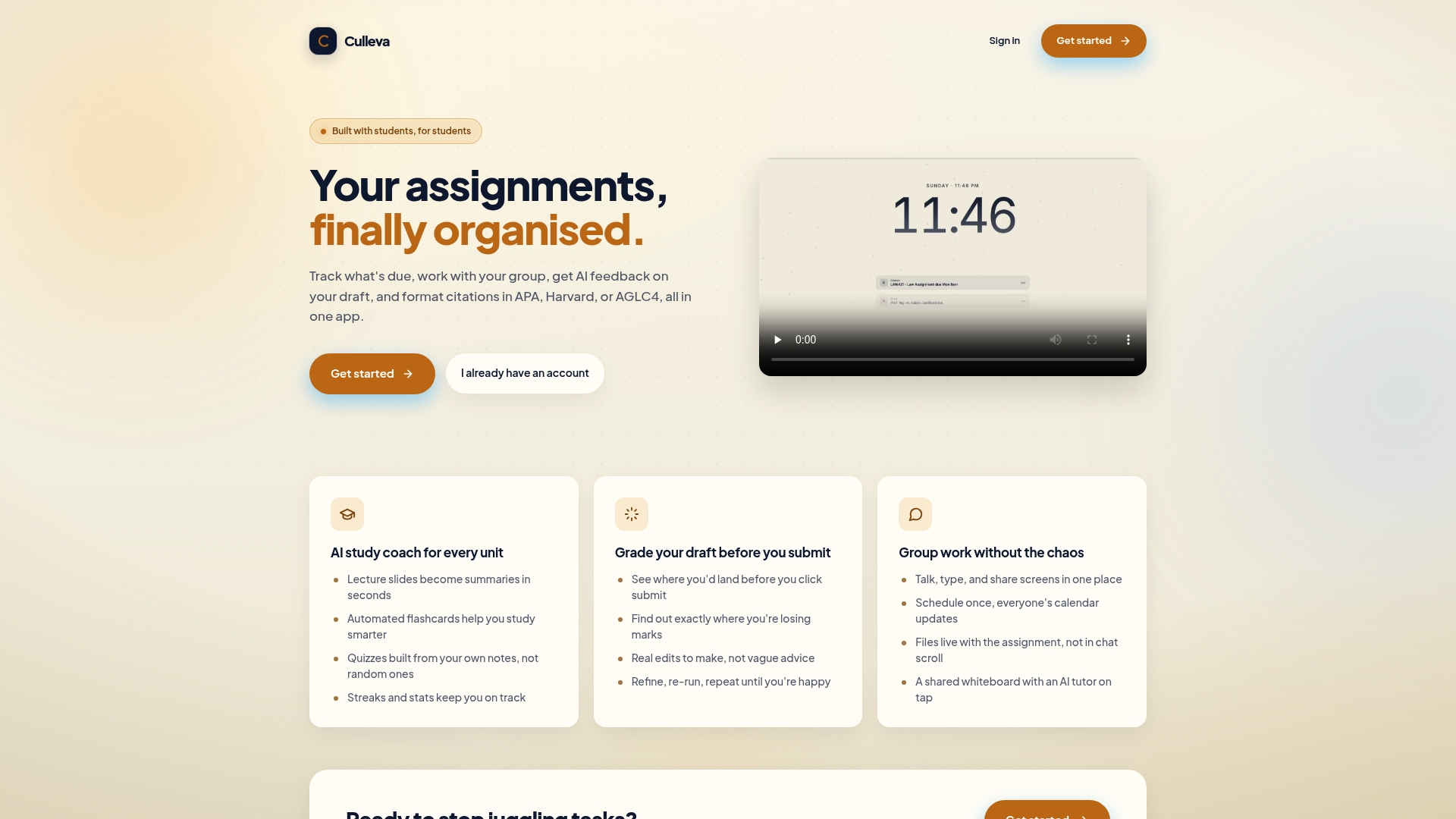
Culleva’s group-work hub includes shared scheduling with calendar sync, quorum-based meeting confirmation, voice and text chat, screen sharing, assignment-linked file storage, and a collaborative whiteboard with an AI tutor on demand. You don’t need five separate apps to run a group project. Everything connects, so your meeting schedule links directly to your assignment files and group chat. If your group is tired of chasing each other for availability and losing track of decisions, Culleva’s group-work features are worth a look. Less chaos, more actual work done.
FAQ
What is shared scheduling for groups?
Shared scheduling for groups is the process of combining each member’s calendar or availability data to find common meeting times automatically. It replaces manual back-and-forth with real-time overlays or availability polls.
How does group scheduling work without calendar sync?
Members use a manual availability picker to mark their free or busy times directly in the tool. Availability input takes under 30 seconds per person, making it a practical fallback for mixed-platform groups.
What is a quorum threshold in scheduling?
A quorum threshold confirms a meeting time once a set minimum number of members agree, rather than waiting for unanimous responses. This prevents one non-responding member from blocking the entire group’s schedule.
How do I improve response rates for group scheduling polls?
Set an RSVP deadline and enable automatic nudges so members get a reminder before the deadline closes. Connected calendar tools achieve 95% response rates compared to around 60% for standard polling methods.
What is the difference between collective and group scheduling modes?
Collective scheduling requires all nominated members to be present, which suits final presentations or critical milestones. Group scheduling confirms a time with one host meeting multiple invitees, which suits regular check-ins and workshops.
Recommended
Stay on top of every assignment
Culleva brings your assignments, group work, calendar, and an AI study coach into one place. Free to start.