Consolidate uni tools on one platform: 2026 guide

TL;DR:
- Consolidating your university tools into one platform reduces app switching and saves study time. It creates a single source for deadlines, notes, and references, improving productivity and easing setup. Gradual migration and bi-directional sync ensure a smooth transition, making tools like Culleva especially helpful.
Consolidating your uni tools onto one platform is the single most effective way to reclaim study time lost to app switching and scattered data. The average student juggles five or more separate apps across a semester, from Canvas or Moodle for unit content, to calendar apps, note-taking tools, PDF annotators, and referencing managers. Research shows that tool stack consolidation can cut daily context-switching time by 30–50%. That is hours per week you could spend actually studying. Culleva is built specifically for Australian and New Zealand students who want to stop managing tools and start managing their degree.
Why consolidate uni tools on one platform?
University tool consolidation is the practice of replacing multiple separate apps with a single platform that handles all your core academic tasks. The goal is a “single source of truth” for your study workflow, where your deadlines, notes, references, and group work all live in one place.

The productivity case is strong. Integrated platforms reduce manual data maintenance by up to 70% for education environments. That means less time copying deadlines from Canvas into your calendar, and less risk of missing a submission because two apps showed different dates. Consolidated assignment tracking also reduces cognitive load, freeing up mental bandwidth for the actual work of your degree.
Training time matters too. When you learn one interface instead of five, setup time drops from weeks to days. That is a real advantage at the start of semester, especially during O-week when you are already absorbing a lot of new information.
Which uni tools can you actually consolidate?
Most of the apps you use day-to-day can be brought together onto one platform. Some are easier to consolidate than others, depending on whether your university controls them.
| Tool type | Examples | Consolidation feasibility |
|---|---|---|
| Assignment tracking | Deadline lists, unit planners | High. Core feature of most all-in-one platforms. |
| Calendar and scheduling | Weekly planners, tute schedules | High. Sync via calendar integration. |
| Note-taking | Lecture notes, reading summaries | High. Most platforms support rich text notes. |
| Referencing and citations | APA, Harvard, AGLC4 formatting | High. Built into platforms like Culleva. |
| Group collaboration | Chat, file sharing, whiteboards | Medium to high. Depends on platform features. |
| LMS access (Canvas, Moodle) | Unit content, grades, announcements | Medium. Read-only sync is common; full integration varies. |
| PDF annotation | Marking up readings | Medium. Some platforms include this natively. |
| Turnitin submission | Plagiarism checking, submission | Low. Institutional control limits consolidation. |
The tools hardest to consolidate are those your university owns, like Canvas, Moodle, and Turnitin. You will still log into those. The goal is to pull the data from them, your deadlines, your grades, your submission dates, into your central platform so you are not manually re-entering everything.
What features should your all-in-one platform have?
Not every platform marketed as “all-in-one” actually replaces your full tool stack. Here is what to look for before you commit.
- Bi-directional sync. Bi-directional data exchange prevents manual re-entry errors. If you update a deadline in your platform, it should reflect everywhere. Platforms without this create duplicated effort and kill the productivity gains you were after.
- Native automation. A consolidated platform should run automations internally. Research from Connex Digital shows that automations requiring eight steps across separate apps can run natively in two steps within a unified platform. That is a real time saving, not a theoretical one.
- LMS compatibility. Look for pre-built connectors for Canvas, Moodle, and Turnitin. Pre-built educational connectors can reduce integration effort by up to 70%, meaning you spend less time on setup and more time studying.
- Referencing support. If you are writing essays in LAWS1001 or PSYC101, you need APA, Harvard, or AGLC4 formatting built in. Switching to a separate citation manager defeats the purpose.
- Collaboration tools. Group assignments are a reality. Your platform needs chat, file sharing, and shared scheduling at minimum.
- Study support features. Flashcard generation, draft grading, and AI-assisted summaries are the difference between a basic task manager and a platform that actually helps you learn.
Pro Tip: Prioritise platforms that include AI-assisted draft feedback. Getting a mark estimate before you submit, with specific edits rather than vague comments, is one of the highest-value features you can get from an all-in-one study platform.
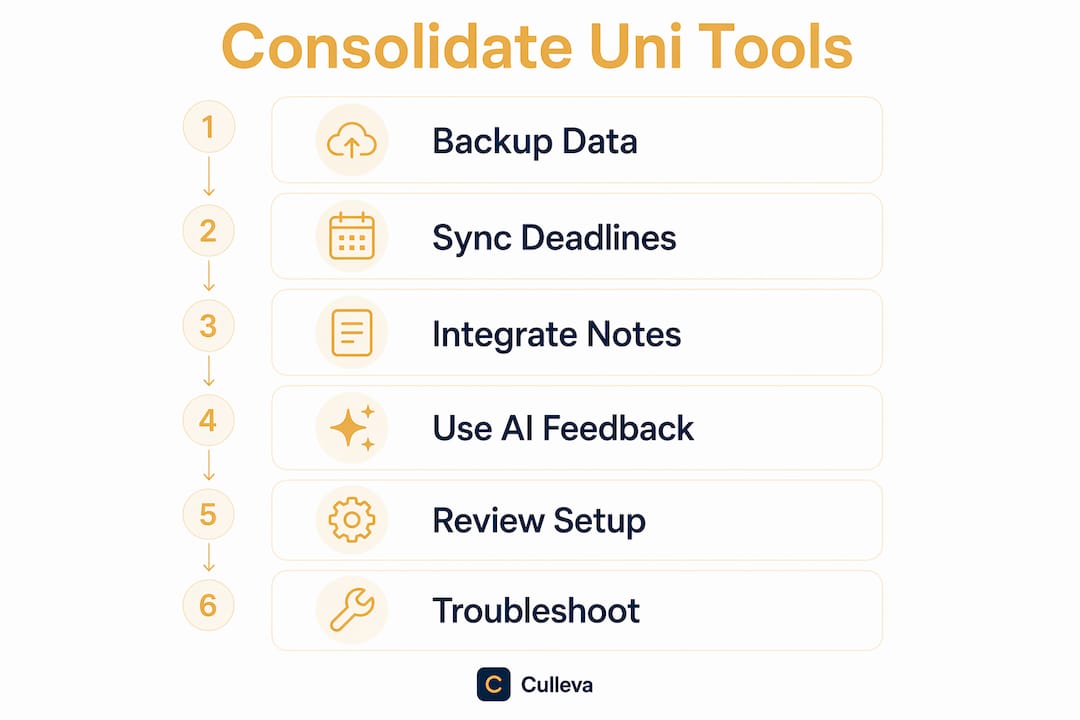
How to consolidate your uni tools step by step
The biggest mistake students make is trying to switch everything at once. A phased approach is far more likely to stick.
-
Audit your current tools. List every app you use for study. Include your calendar, note-taking app, referencing tool, group chat, and anything else you open during a study session. Note how often you use each one and what data lives in it.
-
Choose a platform that fits your needs. Look for the features listed above. Check that it supports your university’s LMS and your required referencing styles. An all-in-one study app built for ANZ students will already account for Canvas, Moodle, APA, Harvard, and AGLC4.
-
Start with calendar and deadlines. Sync your unit outlines and add every assessment due date in Week 1. This is your foundation. Getting deadlines right first means you will not miss anything during the transition.
-
Migrate notes and references gradually. Move your lecture notes and reading summaries across unit by unit, not all at once. Do the same with your reference lists. Gradual migration reduces the risk of losing work or creating confusion.
-
Set up automations and notifications. Once your core data is in, configure reminders for upcoming deadlines, study streaks, and group task alerts. Native automations within one platform are faster and more reliable than external tools linking separate apps.
-
Review after two weeks. Check what is working and what you are still doing manually. If you are still opening an old app out of habit, ask whether the new platform covers that function or whether you need to adjust your setup.
| Approach | Risk level | Best for |
|---|---|---|
| Phased migration (core first) | Low | Most students, especially mid-semester |
| Full switch at semester start | Medium | Students starting fresh in Week 1 |
| Overnight full migration | High | Not recommended. Data loss and habit disruption are common. |
Pro Tip: Back up your notes and reference lists before you migrate anything. Export your data from each old app first. It takes 20 minutes and saves you from a very stressful situation if something goes wrong.
How to troubleshoot problems after consolidating
Expect a settling-in period. Research shows students typically revert to legacy apps for 2–4 weeks before fully committing to the new platform. That is normal. The key is not to panic and abandon the switch.
Watch for these common issues:
- Duplicated data entry. If you are entering the same deadline in two places, your sync is not set up correctly. Fix the integration before adding more data.
- Incomplete migration. Leaving notes or references in old apps creates confusion. Finish migrating one unit before moving to the next.
- Reverting to old habits. Habit change takes time. Give yourself a full semester before judging whether the consolidation is working.
- Broken integrations. If your LMS connection drops, check for platform updates or re-authenticate your account. Fragmented setups are the main cause of broken connections.
Review your platform setup at the start of each semester. Update integrations, archive completed units, and check that your referencing styles are still configured correctly. Tracking your study stats and progress within the platform gives you a clear picture of whether consolidation is actually saving you time.
Pro Tip: Use your platform’s built-in analytics or study streak data to check whether you are spending less time on admin and more time on actual study. If the numbers are not improving after a month, review which tools you have not yet migrated.
Culleva brings your uni tools together
Culleva is built for Australian and New Zealand students who want their academic life in one place, not spread across five apps.
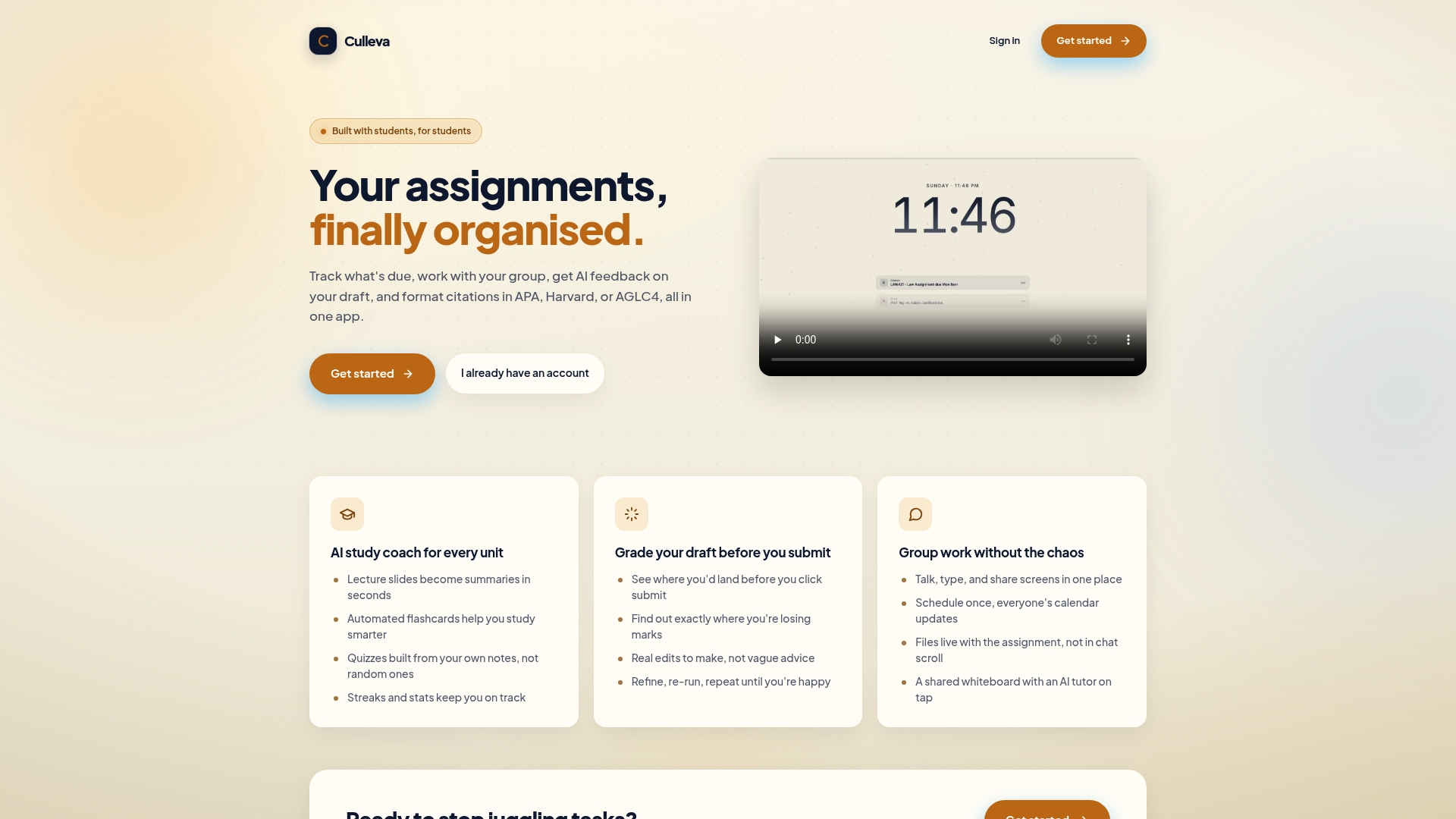
Culleva tracks your assignments and deadlines, generates flashcards and summaries from your lecture notes, estimates your mark before you submit with specific edits to improve it, and runs a full group-work hub with chat, screen sharing, and a shared whiteboard. Citation formatting for APA, Harvard, and AGLC4 is built in. You do not need a separate referencing tool. Everything your degree demands is covered in one place. Check out Culleva’s full feature set and see how much of your current tool stack it replaces from day one.
Key takeaways
Consolidating your uni tools onto one platform works best when you start with core data, use bi-directional sync, and migrate gradually rather than switching everything at once.
| Point | Details |
|---|---|
| Start with deadlines | Sync your assessment due dates first to build a reliable foundation before migrating other tools. |
| Bi-directional sync is non-negotiable | Platforms without two-way sync create duplicated manual entry, which cancels out productivity gains. |
| Phased migration reduces risk | Moving tools across gradually, unit by unit, prevents data loss and habit disruption. |
| Expect a 2–4 week adjustment | Reverting to old apps briefly is normal. Stick with the new platform for a full semester before judging it. |
| AI features add real study value | Draft grading, flashcard generation, and note summaries turn a task manager into a genuine study tool. |
FAQ
What does it mean to consolidate uni tools on one platform?
It means replacing multiple separate study apps with a single platform that handles deadlines, notes, referencing, collaboration, and study support in one place. The goal is one login, one interface, and no manual data copying between apps.
How long does it take to fully switch to a consolidated platform?
Most students need 2–4 weeks to fully adjust, including occasional fallback to old apps during the transition. Starting at the beginning of semester makes the process significantly smoother.
Do I still need Canvas or Moodle if I use an all-in-one platform?
Yes. Canvas and Moodle are controlled by your university and cannot be replaced. A consolidated platform like Culleva syncs with them to pull in deadlines and unit data, so you are not manually re-entering information.
What is bi-directional sync and why does it matter?
Bi-directional sync means data flows both ways between your platform and connected tools. Without it, updates you make in one place do not carry across, forcing you to enter the same information twice and creating errors.
Is Culleva free to use?
Pricing details are available on the Culleva website. Check there for current plans and any trial options available to Australian and New Zealand students.
Recommended
Stay on top of every assignment
Culleva brings your assignments, group work, calendar, and an AI study coach into one place. Free to start.