Top 4 AI Study Tools Alternatives for University Students 2026
Getting your lecture notes, group project work, and revision tasks sorted without wasting hours copying material across apps is messy. Most AI study tools lock useful features behind strict upload caps or daily limits and push you to paid upgrades before you can test core functions. This comparison covers price, file compatibility, and revision aids so you can pick an AI study tool that fits your uni workflow.
Table of Contents
Culleva
At a Glance
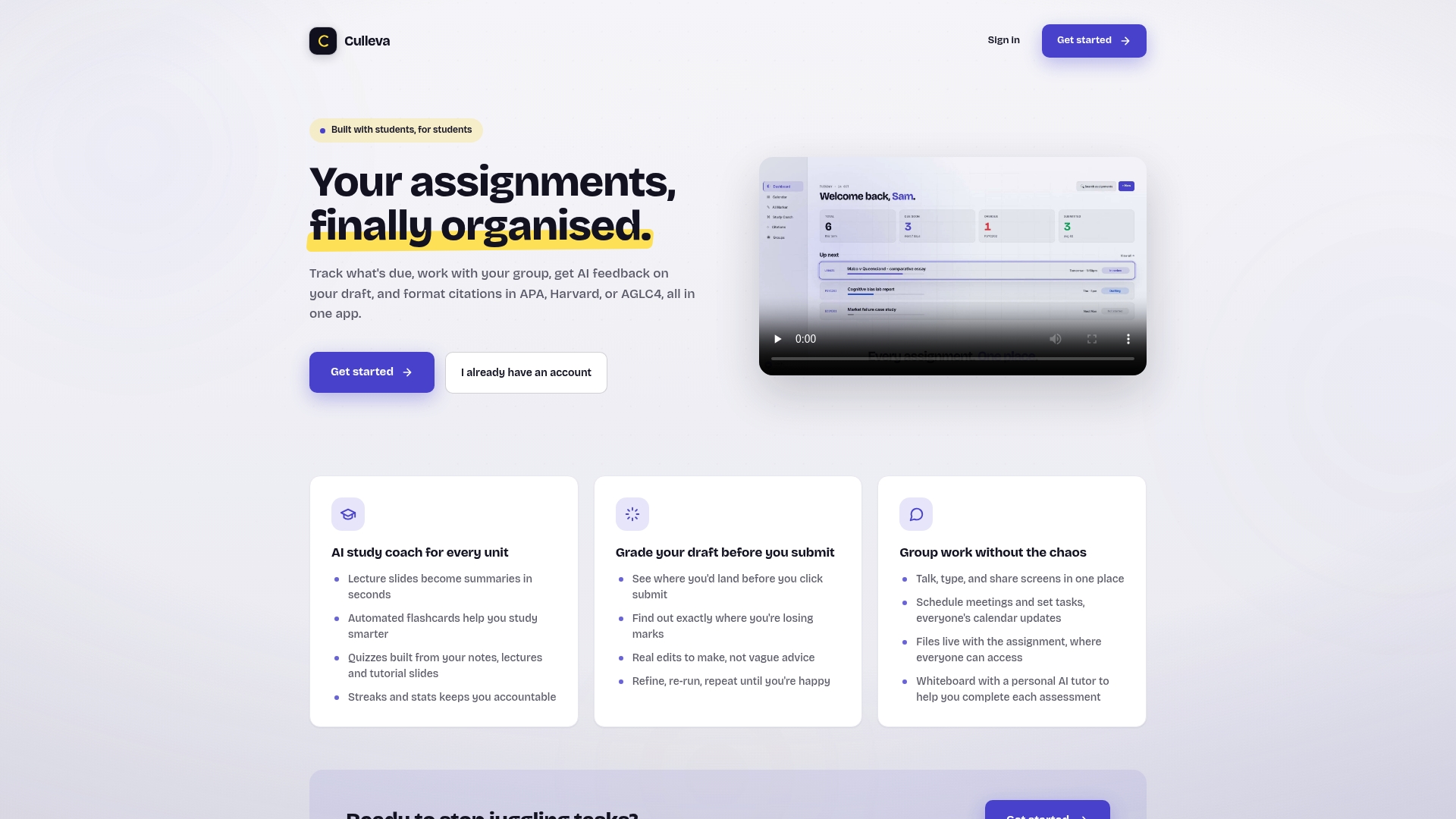
Culleva keeps all core study tools in your browser with a free plan that includes daily AI limits. The app combines assignment tracking, group work, and AI help for summaries, flashcards and draft feedback. You can use it without installing software.
Core Features
Culleva tracks assignments and deadlines and links them to files and group workspaces with chat, voice, a collaborative whiteboard and shared scheduling. The AI study coach turns lecture slides into summaries and auto generates flashcards and quizzes from your notes, while citation checks cover APA, Harvard and AGLC4. The draft grading tool estimates likely marks, highlights lost points and returns concrete edits you can apply and re run.
Key Differentiator
Culleva bundles assignment management, an AI study coach, an AI draft review and a full group work hub in one browser accessible app, so you do not juggle separate apps for deadlines, study aids and group meetings. That one place approach means your assignment files, calendar events and group discussions stay linked to the associated assessment rather than scattered across tools.
Pros
You get the core feature set for free with sensible daily AI limits, so you can try summaries, flashcards and citation checks without committing to a subscription. Group projects stay in one place with chat, voice, file sharing, calendar sync and a whiteboard that also has an AI chat for concept help. Draft grading gives clear edits and a likely mark before you submit, which makes polishing an essay faster. Everything runs in your browser, and the app previews common file types inline so you do not need extra software.
Cons
- AI features have daily usage limits, which may restrict intensive users.
Who It’s For
You if you are a university student juggling multiple units and group assessments. You get most value when you work on group projects, need quick study aids like flashcards and quizzes, or want a rough mark estimate before you submit to Turnitin workflows on Canvas or Moodle.
Unique Value Proposition
The AI draft review estimates your likely mark and gives specific edits you can apply and re run. That direct feedback helps you reduce last minute rewrites and test which changes raise your draft score before final submission.
Real World Use Case
On a group assignment for PSYC101 you keep shared files and meeting times in the same workspace. You ask the AI to turn lecture slides into a one page summary for your tute prep. You upload your essay, run the draft review, make the suggested edits and then export citations in Harvard. The whole process stays in one browser session.
Pricing
Free to get started with daily AI limits on the core features. Pro costs $9.99/month and raises AI allowances and unlocks extra features for heavier users.
Website: https://culleva.com
Cognia AI
At a Glance
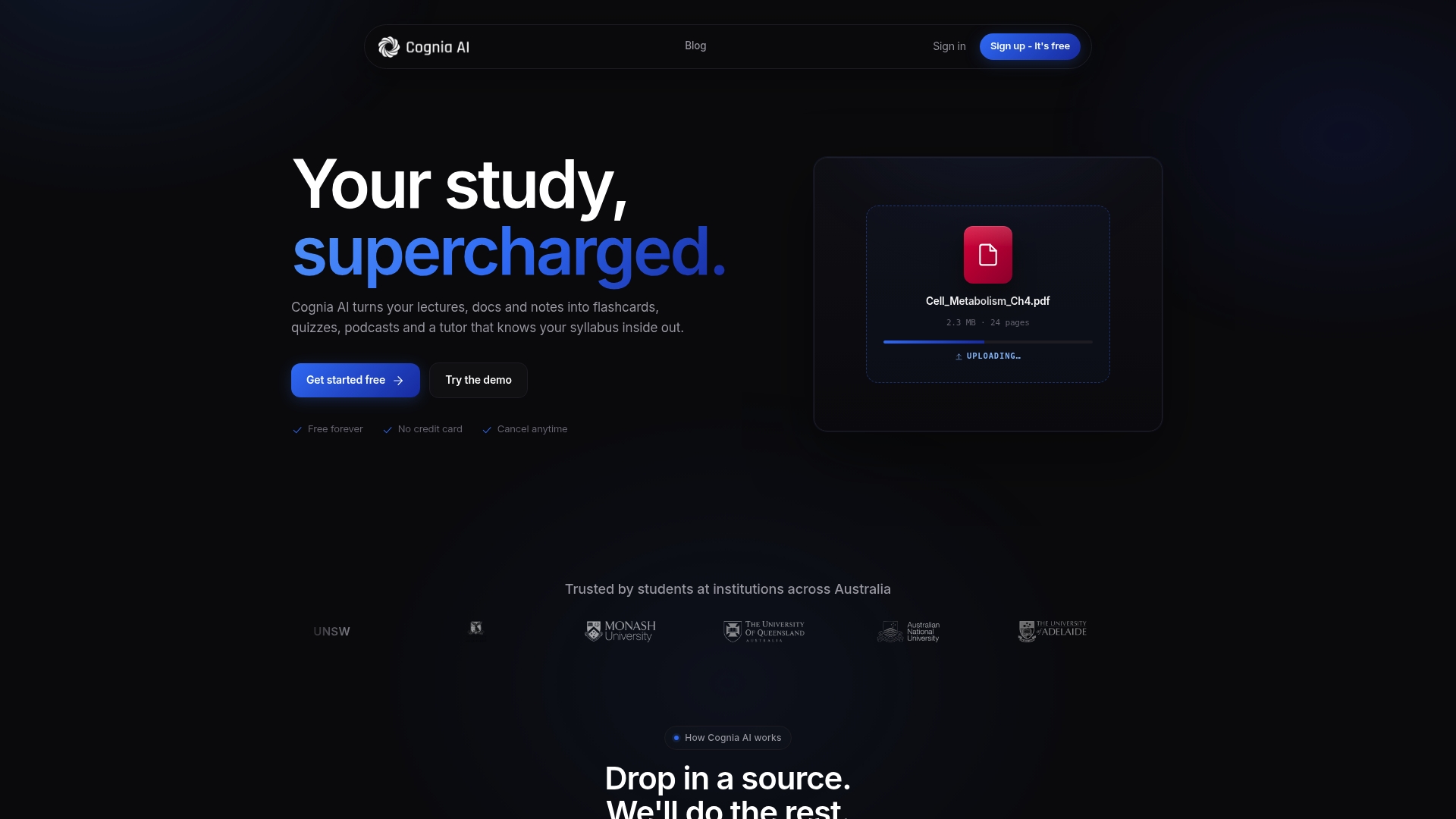
Free forever with full study functionality for a full subject. The service turns lectures, PDFs and your notes into flashcards, quizzes and podcasts that cite the exact source material. That citation focus helps you trust answers when you check readings or prepare for tutes and exams.
Core Features
Uploads lectures, PDFs, slides and notes and converts them into study assets you can use straight away. It produces spaced repetition flashcards, instant marked quizzes and lecture transcripts, and it generates podcast versions of summaries for mobile listening. The system also offers a cited AI tutor that answers questions by pointing to the original material.
Key Differentiator
The standout is the citation enabled tutor that links every answer back to your uploaded course material. This makes revision verifiable rather than speculative and helps when you need to quote or check a reading for an assignment. The tutor sits inside the same workflow that makes flashcards, quizzes and podcasts from your files.
Pros
Grounded answers with citation help you check claims against your lecture slides and readings, so you can quote confidently in assignments. The free plan covers full study functionality for a single subject, while the paid plan raises limits for heavy use. Privacy promises that user content is not sold add comfort when you upload recorded lectures and notes.
Cons
- Limited to Australian educational content, so it may not match international unit syllabuses.
- Free plan caps uploads and tutor messages, which may feel restrictive if you manage several units at once.
- Relies on your own course material, so it is less useful for general knowledge or open ended research questions.
When It May Not Fit
If your course follows an international curriculum, Cognia AI may not map well to required readings and standards. If you run multiple units and upload lots of media, the free plan caps will push you to upgrade. If you want a general purpose research assistant for broad topics, this tool will feel narrow because it needs your files to generate grounded answers.
Who It’s For
You, an Australian uni student juggling lectures, readings and assessments, who wants revision tools that cite sources. It fits students who prefer study material derived from their own slides and PDFs rather than generic summaries. Best for people preparing for exams, tutes or writing referenced assignments.
Real World Use Case
You upload a recorded lecture and three course PDFs after week six. Cognia AI creates flashcards for spaced revision, instant quizzes for self testing and a podcast summary for commutes. You ask the cited tutor a tricky question and follow its source links back to the lecture slide for precise quotes.
Pricing
Free forever for core study features on a single subject. The Pro plan is AUD $14.99/month and removes upload and message caps while enabling unlimited features. Pricing is straightforward and aimed at students who want unlimited uploads and tutor access.
Website: https://cognia.com.au
StudyAnything
At a Glance
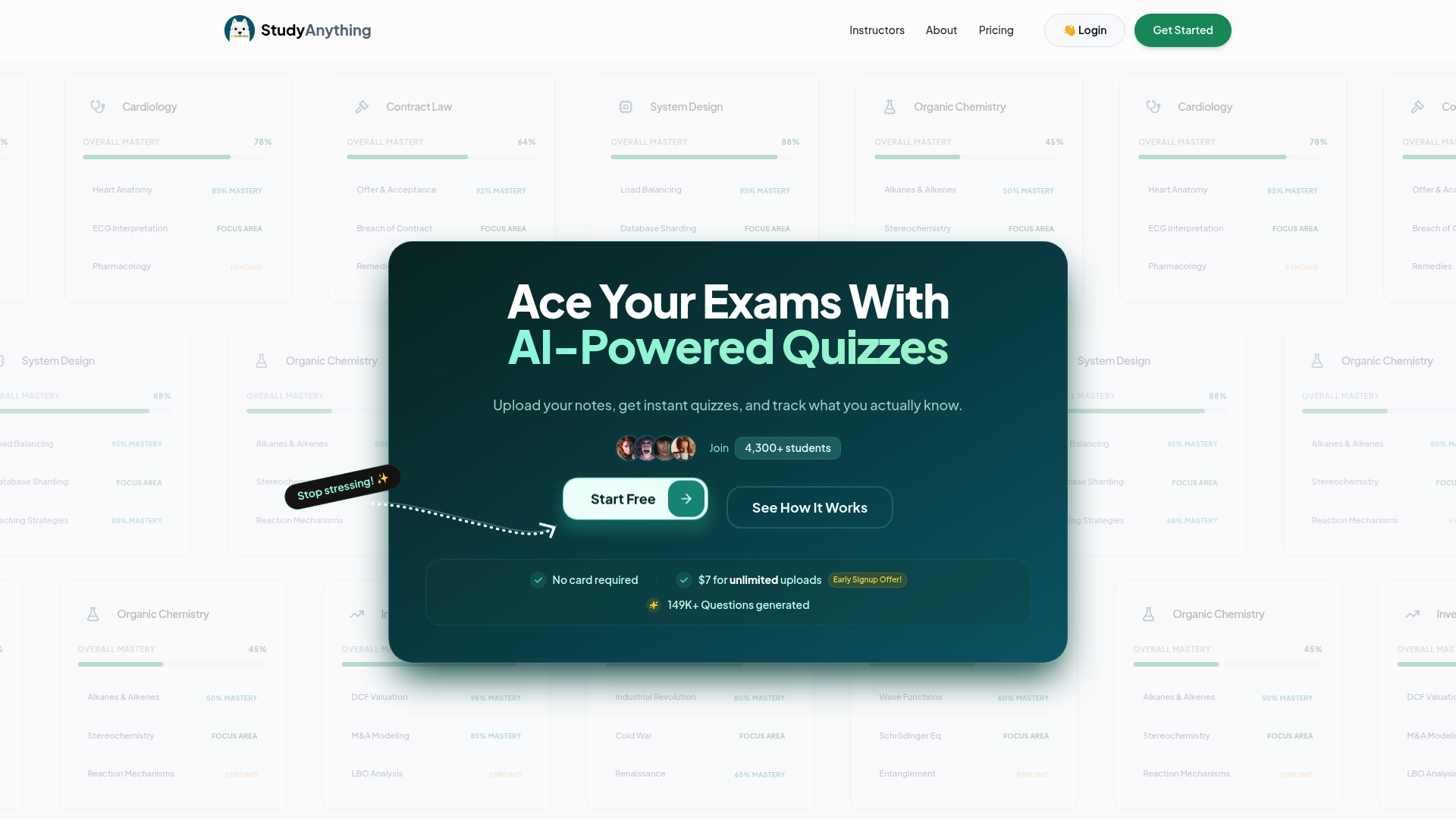
Converts your lecture slides and notes in PDF form into personalised quizzes and topic mastery reports. The platform offers a free tier and a paid Plus plan for unlimited uploads and exports. It mixes short-answer revision, gamified progress, and a community area for peer practice.
Core Features
Upload PDF notes and lecture slides, then let the AI generate targeted practice questions and short-answer checks. Progress and mastery tracking shows which topics need more work, and a revision mode focuses on weak areas. The paid plan adds unlimited quiz generation, exports, and broader file handling inside the app.
Key Differentiator
The main difference is the focus on converting PDFs into practice material with study metrics attached. That lets you turn passive notes into active revision quickly. For students who mostly learn from slides and handouts, this is the fastest route from notes to exam-ready quizzes.
Pros
Personalised quiz generation helps you practise the exact material you covered in tutes and lectures. Progress tracking makes weak topics visible, so you can target revision in week 10 or before finals. The interface uses gamified elements to keep motivation up and adds a community area for peer-made quizzes and educator content. The free tier gives you a low-friction entry point, and the Plus plan removes limits on uploads and exports so you can prepare for multiple units.
Cons
- Reliant on PDFs: many file types are not supported yet, so online lecture pages or note apps need extra export steps.
- Variable question accuracy: AI generated questions sometimes miss context and need manual checking by you.
- Limited integrations: there are no clear LMS or calendar connections for unit workflows.
- Best for individual study: not optimised for campus-wide assessment or large cohort use.
When It May Not Fit
If your course materials live in Canvas or Moodle and you do not want to export PDFs, StudyAnything will add friction. If you need guaranteed question accuracy for formal assessment, the AI output may require tedious verification. Large units that need rostered student management and grade sync will find the tool less suitable. If your study method relies on native note apps exclusively, the extra export step can break your flow.
Notable Integrations
No third-party integrations are explicitly stated. The product centres on PDF uploads and internal quiz creation rather than connecting to external learning management systems.
Who It’s For
You if you are a high school or university student who studies from lecture slides, past papers, or exported PDFs. Also useful for tutors and educators who want quick interactive quizzes for small groups. Not ideal for administrators running cohort assessment or anyone needing deep LMS automation.
Real World Use Case
You upload PSYC101 lecture slides from week 3, then generate a quiz that targets key theories and methods. The app flags the concepts you miss repeatedly and surfaces them in revision mode. You practise those items until mastery rises and you feel ready for the midsem exam.
Pricing
There is a free tier for basic quiz generation and limited uploads. The Plus plan costs A$7/month and removes upload and question limits, adds exports, and unlocks unlimited quiz attempts. That price keeps the paid option affordable while you test whether the workflow fits your units.
Website: https://studyanything.academy
Mindgrasp
At a Glance
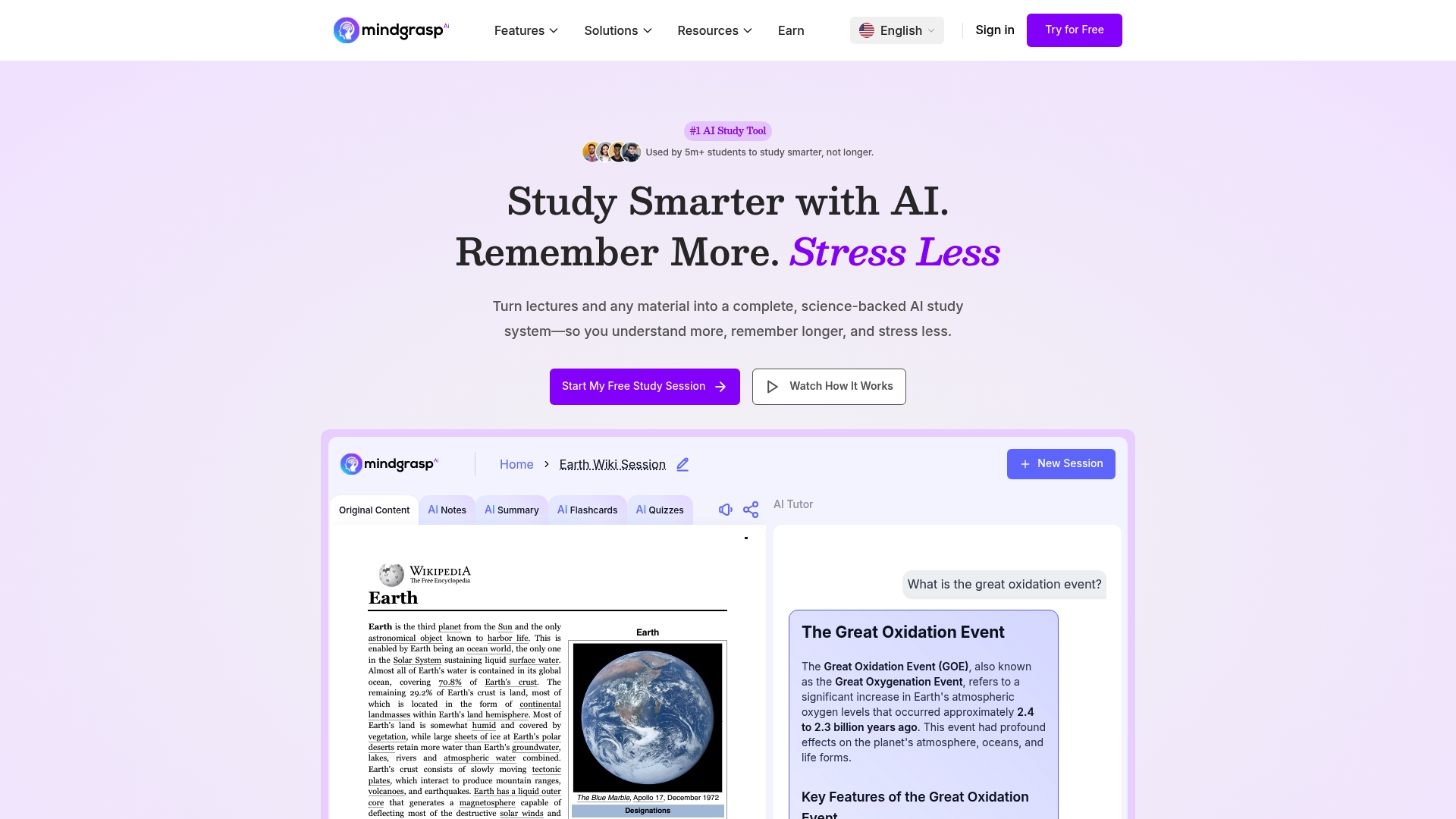
Unlimited uploads are available, letting you feed your whole semester of readings and recordings into the system. Mindgrasp turns uploaded PDFs, videos, web links and audio into notes, summaries, flashcards and quizzes. The vendor says it is used by top universities and professional learners.
Core Features
AI Notes generate structured study notes from PDFs, lectures and web links. AI Summarization turns long readings and transcripts into concise review pages, while AI Flashcards and AI Quizzes create active recall practice and highlight weak topics. AI Tutor explains concepts around the clock and answers follow up questions from your uploads.
Key Differentiator
Mindgrasp focuses on education and professional learning with deep support for many content formats. It handles PDFs, lecture recordings, video and audio in the same workspace so you keep all study material together. The platform applies cognitive science methods such as active recall, spaced repetition and self explanation to study resources. Unlike Culleva, Mindgrasp focuses on converting content rather than assignment tracking or group work coordination.
Pros
Strengths include broad format support, automated study outputs from your own materials, and clear use of learning methods like active recall. Unlimited uploads and LMS links let you pull whole unit folders from Canvas, Blackboard and Panopto into one organised workspace. That content converts into notes, flashcards and quizzes so revision becomes time efficient and focused on the topics you need. AI Tutor answers follow up questions around the clock so you can clarify tricky concepts after late night tutes or study sessions.
Cons
- Students with learning disabilities may need time to adjust to the interface and workflows.
- Some people find the interface overwhelming at first. Expect a learning curve to use advanced features.
- There is no ongoing free tier beyond a limited trial, so full feature access requires a paid subscription.
When It May Not Fit
Not ideal if you study mainly for leisure or casual learning, as the platform targets academic and professional content. If you prefer minimal apps, Mindgrasp may feel heavy because it handles many file types and study outputs. Learners who need specialised accessibility adjustments should check support options, since some users report an adjustment period.
Notable Integrations
Integrates directly with common LMS platforms to import lecture materials and recordings.
- Canvas: import files and lecture media.
- Blackboard: pull course documents and recordings.
- Panopto: bring recorded lectures and video content into your study library.
Who It’s For
Students juggling large volumes of course content who need fast revision tools will get the most value. Educators who build quizzes and course materials can save prep time by converting lectures into ready made resources. Professionals learning on the job can turn reports and meetings into structured notes and practice quizzes.
Real World Use Case
A uni student uploads lecture recordings and PDF readings for a semester. Mindgrasp generates summaries, flashcards and quizzes tailored to the unit learning outcomes. That workflow cuts revision time and helps the student focus on weak topics before exams.
Pricing
Monthly plans start at $5.99 billed annually and go up to $14.99 when paid monthly. Pricing varies by features and storage needs, with unlimited uploads on paid plans. A limited free trial exists, but full features require a subscription.
Website: https://mindgrasp.ai
Comparison of alternatives
University students seeking efficient AI study tools will find that each platform reviewed offers unique advantages tailored to specific academic needs. While Culleva provides an all-encompassing suite for assignment management and collaboration, others excel in specific domains, such as individualised knowledge assessment or content diversity support.
academic support in one platform
Culleva stands out by combining several core functions into a single platform: assignment tracking, group collaboration, and AI-enhanced drafting tools. This integration ensures a streamlined workflow, linking resources, deadlines, and teamwork directly to academic tasks. In comparison, other tools often specialise in isolated functionalities, making them less in addressing the diverse challenges of university-level studies.
Tailored experiences for individual study approaches
Cognia AI and StudyAnything present strong alternatives with their laser focus on specific needs. Cognia AI excels in citation-based support, ensuring that all generated study aids reference provided materials, which is during detailed exam preparations. StudyAnything, on the other hand, offers an method of mastery-learning through its custom practice and progress tracking systems, making it a compelling choice for content-focused revision strategies.
Best fit
- Students juggling multiple assignments and group projects while leveraging AI-based study tools will benefit most from Culleva.
- Those who emphasise rigorous citation accuracy and want AI-generated study guides directly tied to uploaded lecture notes should consider Cognia AI.
- Learners focusing on individual mastery of topics and gamified practice methods will find StudyAnything ideal owing to its focused quiz generation and tracking features.
- For users handling a variety of content formats—from videos to PDFs—Mindgrasp provides tools accommodating diverse input types, enabling a dynamic study resource suite.
Our pick
For university students managing complex academic demands, Culleva emerges as the top choice by integrating AI-generated feedback, assignment coordination, and group collaboration features. Its streamlined and browser-friendly approach simplifies multitasking across various academic activities. However, for those strictly requiring citation-grounded study tools or topic-specific quiz methods, Cognia AI and StudyAnything respectively may fit chosen scenarios better.
Culleva excels as an all-in-one platform by integrating study aids, assignment tracking, and group collaboration tools accessible through your browser.
| Product | Core Feature | Key Differentiator | Pricing | Limitation |
|---|---|---|---|---|
| Culleva | AI-supported study tools and group collaboration hub | Integrated assignment and file management | Free, Pro $9.99/month | AI usage capped daily for free plan users |
| Cognia AI | Flashcards, quizzes, and cited AI revision tools | Citation-enabled tutor linking answers to materials | Free for 1 subject, Pro AUD $14.99/month | Limited to Australian educational content |
| StudyAnything | Personalised quizzes and topic mastery tracking | Focused on targeted active revision from PDFs | Free, Plus A$7/month | Requires PDF notes, manual question checks |
| Mindgrasp | Broad file types conversion to study materials | Content imports from LMS platforms for organised learning | $5.99/month (annual) to $14.99/month | Full access tied to subscription plans |
Struggling to Keep Your Uni Work Organised and On Track?
Juggling assignments, group chats, deadlines, and study aids across multiple apps leaves you with half-finished notes and missed due dates. Culleva brings everything into one place so you can finally feel on top of your coursework. Keep assignment details, group meetings, AI-generated flashcards, summaries, and draft feedback linked and accessible in your browser. Plus, nail your referencing with APA, Harvard or AGLC4 citation checks.
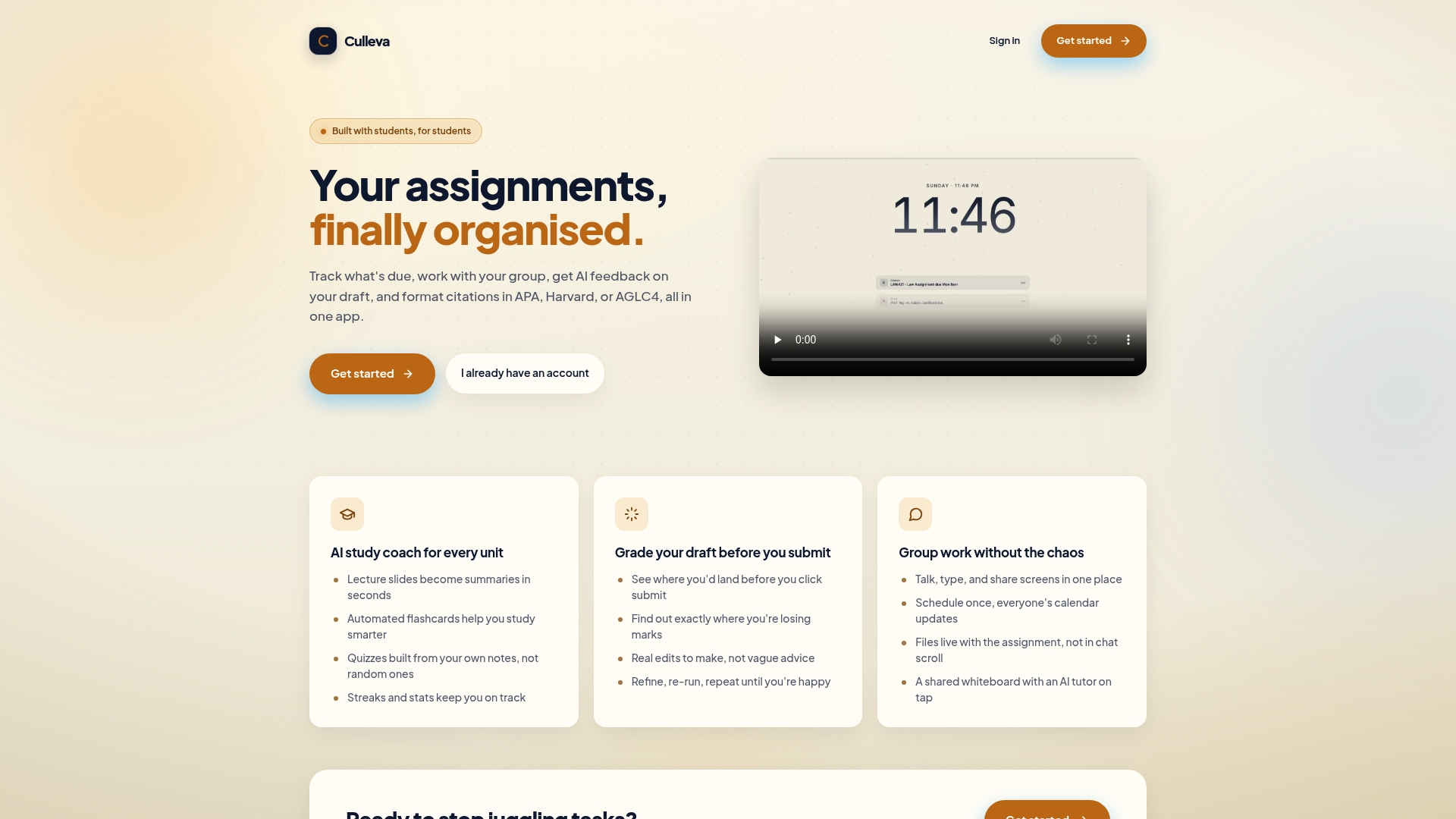
Don’t waste hours flipping between tools. Check out how Culleva’s all-in-one app helps you track tasks, polish drafts, and coordinate group work without extra software. Get started now at Culleva and upload your lecture slides to see instant summaries and quizlets linked to your assessments.
FAQ
How does Culleva assist with assignment tracking?
Culleva provides an integrated assignment tracking feature that links deadlines to files and group workspaces. This is beneficial as it centralises all your assignments, chats, and schedules in one place, making it easy to stay organised and meet deadlines. You should use this feature to streamline your assignment submissions and communication within group projects.
What is the difference between Cognia AI and Culleva?
Cognia AI shines with its citation-enabled tutor that links answers directly back to your course materials, making it highly reliable for exam preparation. In comparison, Culleva focuses on combining assignment management and study tools in one browser-based app. Use Cognia AI if you require direct source citations, but choose Culleva for a more comprehensive project management experience.
Can I use Cognia AI for general research questions?
Cognia AI is primarily designed for structured coursework and relies heavily on your uploaded course materials, which limits its use for broad research questions. If you’re looking for a tool with flexible application for broader topics, Culleva offers a more versatile platform while still providing effective study aids.
How does the draft grading tool in Culleva work?
Culleva’s draft grading tool estimates your likely mark and provides specific edits tailored to your drafts. This feature helps you understand potential weaknesses in your submission and make necessary improvements before finalising your work. Consider using this tool to enhance your essay quality and save time on revisions.
What pricing options does Culleva offer?
Culleva starts with a free plan that includes daily limits on AI features, allowing you to try tools like summaries and citation checks without the risk of a subscription. If you need enhanced capabilities, the Pro plan is available for $9.99 per month, raising AI allowances and unlocking additional features tailored for more intensive users.
Recommended
Stay on top of every assignment
Culleva brings your assignments, group work, calendar, and an AI study coach into one place. Free to start.